AI Tools (5318)
Description Generator (19)
FREE- AI Description Generator
- Product Description Generator
- Outfit Description Generator
- Product Description Writer
- AI Business Description Generator
Name Generator (50)
FREE- Product Name Generator
- Restaurant Name Generator
- Project Name Generator
- Cafe Name Generator
- Coffee Shop Name Generator
Upload Your Design or Logo
Natural cream canvas is the classic tote; black suits light artwork.
A shoulder shot shows the size; the bag on its own shows the whole print.
Grey or white for store listings; lifestyle scenes work well for social posts and ads.
The options below are optional and already filled in.
Preview
Preview
Your image will appear here
Upload an image and click Generate to see your AI-enhanced preview
AI Tote Bag Mockup Generator
Upload artwork and see it printed on a canvas tote: on a shoulder, standing on its own, flat or on a hook.
Overview
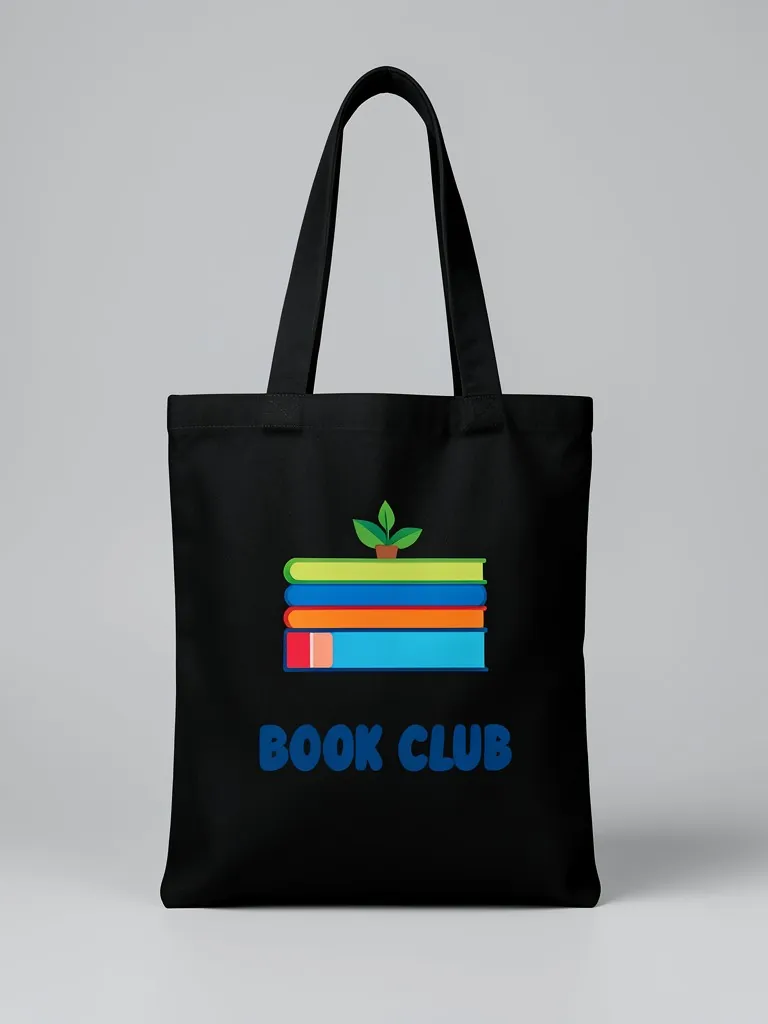
Tote bags are an easy first product for artists, bookshops, cafes and small brands, and they sell on how the print looks on canvas. This generator prints your design on a plain canvas tote with two long handles. Pick the canvas color, how big the print is and where it sits, and the style: hanging from a model's shoulder (cropped, no face, so the bag is the star), standing on its own, laid flat or hanging on a hook. The canvas weave shows through the ink, which makes it look like a real screen-printed bag.
- •Canvas texture shows through the print
- •Shoulder, standalone, flat lay or hook
- •7 canvas colors
- •Large, small or low placement
- •No PSD templates
Example Results


Features
Canvas, not plastic
The weave of the cotton canvas runs through the print like real ink.
Product-first framing
Shoulder shots are cropped so buyers look at the bag, not a face.
Four ready styles
Enough angles for a full shop listing from one design.
Free to try
First mockup free, no signup.
How It Works
Upload your design
Upload your design. Line art, illustrations and short quotes all work well on totes.
Pick the tote bag color and placement
Choose the canvas color and whether the print is large, small or on the lower half.
Choose the mockup style
Pick a shoulder shot on an AI model, the bag alone, a flat lay or the bag on a hook.
Generate and download
Download the mockup and repeat for each canvas color.
Use Cases
Artists and illustrators
Turn an illustration into a tote listing for a shop or a market stall.
Key Benefits:
- •Sell art on everyday products
- •Test which artwork sells
- •No sample bags needed
Shops, cafes and bookstores
Preview a branded tote for customers or a gift with purchase.
Key Benefits:
- •See the logo size before ordering
- •Pick the canvas color
- •Share the preview with your team
Events and causes
Mock up tote bags for a conference, a wedding or a fundraiser.
Key Benefits:
- •Real-looking preview for sponsors
- •Quick approvals
- •Order the right quantity
Frequently Asked Questions
A tote bag mockup is a realistic image of your design printed on a tote, used in shop listings and previews before the bags are printed.
For a bag the product matters, not the face. A shoulder-to-hip crop shows the size of the tote against a body and keeps the print as the focus.
The AI prints your design flat on the canvas with the fabric texture showing through, similar to screen or DTG printing. Very fine detail may soften slightly, as it would on real canvas.
This tool makes a classic flat canvas tote with long handles. For clothing, use the hoodie, t-shirt or sweatshirt mockup generators on this site.
No. Every model in these mockups is generated by AI and is an adult. No real person's face or body is used, so you do not need model releases.
Upload only artwork you made or have the rights to use. Do not upload other brands' logos, sports team marks or characters you do not own.
Yes, a free account. Press the button, then sign up free to see your first tote bag mockup. More mockups use credits from your free account or a plan; see the pricing page.
Apparel and merch mockups
Show your print or logo on blank apparel, hats, bags and tags before you make it.
- Apparel Mockup
- T-Shirt Mockup
- Front and Back T-Shirt Mockup
- Black T-Shirt Mockup
- White T-Shirt Mockup
- Tank Top Mockup
- Polo Shirt Mockup
- Sports Jersey Mockup
- Hoodie Mockup
- Black Hoodie Mockup
- Print on Demand Hoodie Mockup
- Sweatshirt Mockup
- Sweater Mockup
- Jacket Mockup
- Sweatpants Mockup
- Shorts Mockup
- Hat Mockup
- Cap Mockup
- Trucker Hat Mockup
- Bucket Hat Mockup
- Beanie Mockup
- Scarf Mockup
- Sock Mockup
- Apron Mockup
- Canvas Bag Mockup
- Shopping Bag Mockup
- Clothing Tag Mockup
- Embroidery Mockup
- Sticker Mockup
- T-Shirt Template
- Fonts for T-Shirts
- Puff Print Guide