AI Tools (5318)
Description Generator (19)
FREE- AI Description Generator
- Product Description Generator
- Outfit Description Generator
- Product Description Writer
- AI Business Description Generator
Name Generator (50)
FREE- Product Name Generator
- Restaurant Name Generator
- Project Name Generator
- Cafe Name Generator
- Coffee Shop Name Generator
Upload Your Design or Logo
Grey or white for store listings; lifestyle scenes work well for social posts and ads.
The options below are optional and already filled in.
Preview
Preview
Your image will appear here
Upload an image and click Generate to see your AI-enhanced preview
Print on Demand Hoodie Mockup Generator
Upload a design and get the listing images print-on-demand shops use: a color-variant row, a 4-photo grid, a flat lay or a model shot.
Overview
Print-on-demand sellers on Etsy, Shopify, Printify and Printful list many designs, and every listing needs the same set of photos. This generator makes them in the formats that sell hoodies online. The color-variant row shows your design on three hoodies so buyers see the choice at a glance. The 4-photo grid shows a flat lay, a hanger, a folded hoodie and a close-up of the print in one image. You can also make a single flat lay, a folded stack, or a lifestyle shot on one of six AI models. Pick the main color from nine and the print area your supplier offers.
- •Color-variant row with three hoodie colors
- •4-photo listing grid in one image
- •Flat lay, folded stack or lifestyle model shot
- •Nine main colors
- •Front, left-chest or wide upper print area
Example Results
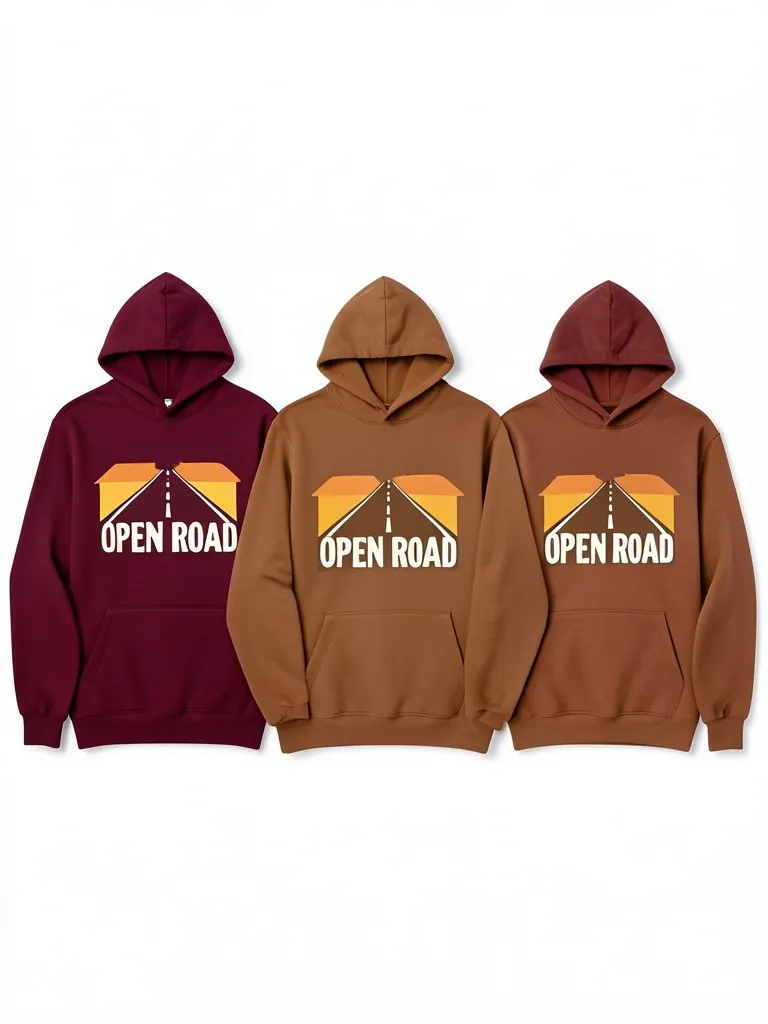
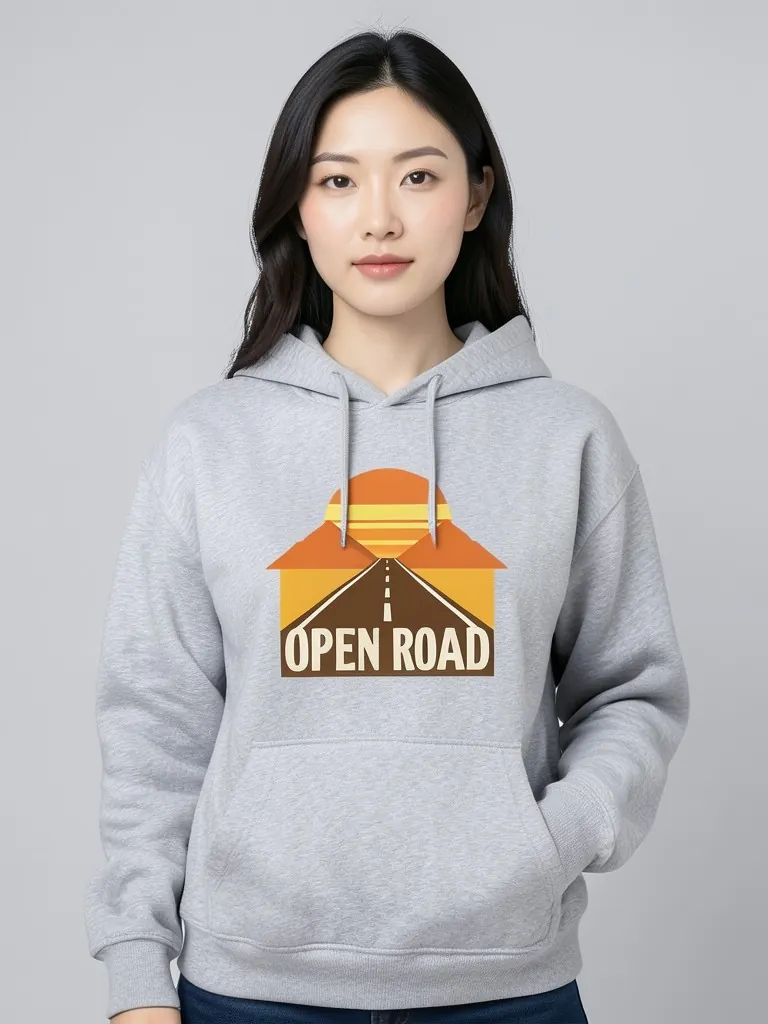
Features
Listing formats
Color rows and 4-photo grids are built for marketplace galleries.
Lifestyle shots
Six AI models give each listing a real-looking lifestyle photo.
Made for volume
Make photos for a new design in a few minutes.
Exact artwork
Your design is printed as uploaded on every hoodie shown.
How It Works
Upload your design
The same file you send to your print-on-demand supplier.
Choose the listing image
Color row, 4-photo grid, flat lay, stack or model.
Choose color and print area
Match what your supplier offers.
Download
Upload it to Etsy, Shopify or your POD app as a listing photo.
Use Cases
Etsy sellers
Fill every listing slot with matching hoodie photos.
Key Benefits:
- •Color row for variants
- •Lifestyle shot for clicks
- •No samples
Shopify and Printify stores
Make product photos that look different from the supplier's default mockups.
Key Benefits:
- •Stand out in search
- •Consistent store look
- •Fast new listings
Designers testing ideas
List a design and see if it sells before ordering stock.
Key Benefits:
- •Test many designs
- •Quick images
- •Low cost
Frequently Asked Questions
A hoodie that is printed only after a customer orders it, by a supplier such as Printful or Printify. You upload the design; the supplier prints and ships it.
It shows buyers the color choices in one picture, which is handy on Etsy and Shopify where the first photos decide the click.
Yes. Many sellers use their own photos so their listing does not look the same as everyone else's using the same supplier.
Yes. Use the black hoodie mockup for back and sleeve prints, and the hoodie mockup for more colors.
Yes. When the product exists, upload a photo of it to the Put Clothes on AI Model tool on this site, and an AI fashion model wears it in a studio or lifestyle shot. It is the next step after a mockup: the same design, now as a full on-model product photo.
No. Every model in these mockups is generated by AI and is an adult. No real person's face or body is used, so you do not need model releases.
Upload only artwork you made or have the rights to use. Do not upload other brands' logos, sports team marks or characters you do not own.
Yes, a free account. Click Generate, then sign up free to see your result. New accounts get 20 free credits every month, and each listing image uses 1 credit.
Apparel and merch mockups
Show your print or logo on blank apparel, hats, bags and tags before you make it.
- Apparel Mockup
- T-Shirt Mockup
- Front and Back T-Shirt Mockup
- Black T-Shirt Mockup
- White T-Shirt Mockup
- Tank Top Mockup
- Polo Shirt Mockup
- Sports Jersey Mockup
- Hoodie Mockup
- Black Hoodie Mockup
- Sweatshirt Mockup
- Sweater Mockup
- Jacket Mockup
- Sweatpants Mockup
- Shorts Mockup
- Hat Mockup
- Cap Mockup
- Trucker Hat Mockup
- Bucket Hat Mockup
- Beanie Mockup
- Scarf Mockup
- Sock Mockup
- Apron Mockup
- Tote Bag Mockup
- Canvas Bag Mockup
- Shopping Bag Mockup
- Clothing Tag Mockup
- Embroidery Mockup
- Sticker Mockup
- T-Shirt Template
- Fonts for T-Shirts
- Puff Print Guide