AI Tools (5318)
Description Generator (19)
FREE- AI Description Generator
- Product Description Generator
- Outfit Description Generator
- Product Description Writer
- AI Business Description Generator
Name Generator (50)
FREE- Product Name Generator
- Restaurant Name Generator
- Project Name Generator
- Cafe Name Generator
- Coffee Shop Name Generator
Upload Your Design or Logo
Polos and caps are the most common embroidered items for uniforms and brand merch.
Left chest is the standard spot for company logos on polos and jackets.
The close-up shows thread quality; a worn shot shows the logo size on the body.
Grey or white for store listings; lifestyle scenes work well for social posts and ads.
The options below are optional and already filled in.
Preview
Preview
Your image will appear here
Upload an image and click Generate to see your AI-enhanced preview
AI Embroidery Mockup Generator
See your logo stitched as embroidery, with real thread texture, on a polo, cap, hoodie, beanie or work jacket.
Overview
Embroidered logos look nothing like printed ones: thread has texture, sheen and slightly rounded edges. That is why people search for polo embroidery mockup PSD files, but those need Photoshop and still look like a flat logo with a filter. This generator stitches your logo onto the garment. Choose a polo, a baseball cap, a hoodie, a tee, a beanie, a work jacket or a sweatshirt, a color, and where the embroidery goes: the left chest, the front center or the sleeve. Then show it as a close-up of the stitching, a flat lay, a product shot or worn by an AI model. It is a quick way to approve a uniform or merch order before the digitizing fee and the minimum run.
- •Satin-stitch thread texture
- •Polos, caps, hoodies, beanies and jackets
- •Left chest, front or sleeve
- •Close-up, flat lay or on a model
- •No PSD or Photoshop
Example Results
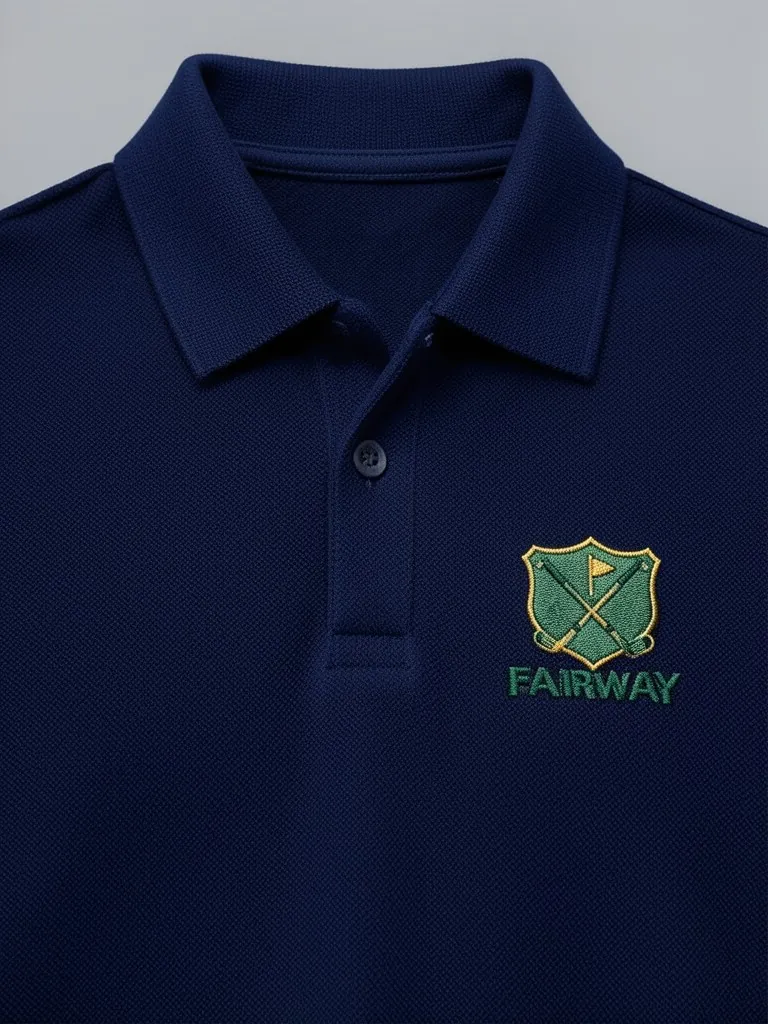
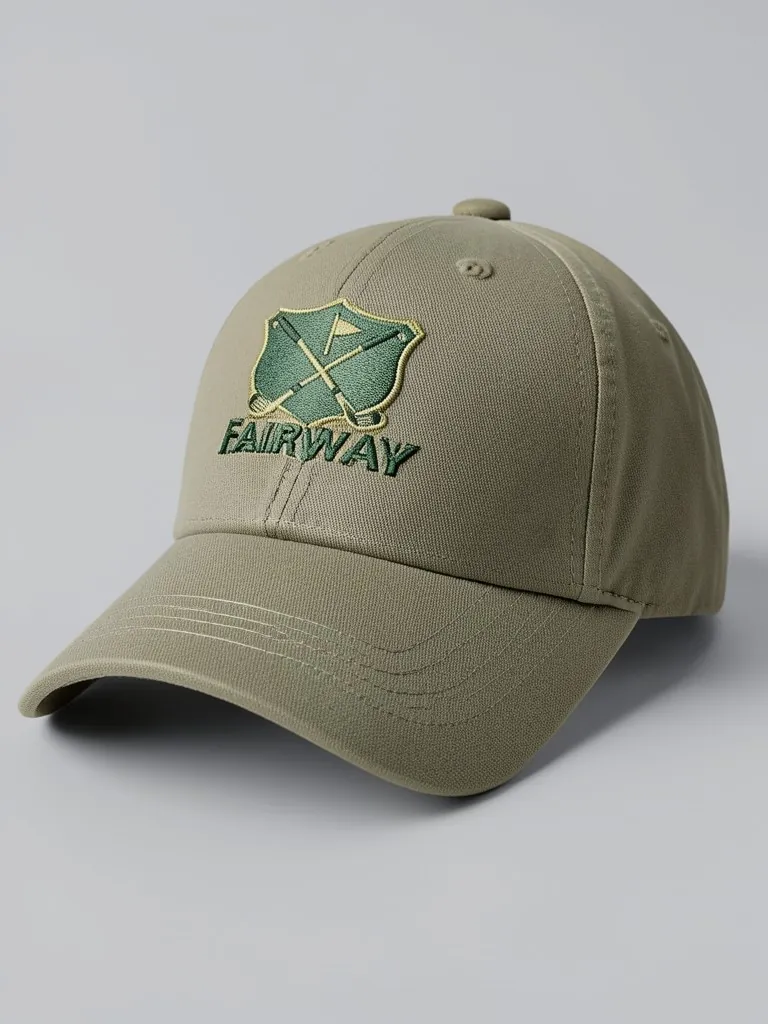
Features
Thread you can see
Satin stitches, sheen and raised edges make the logo read as embroidered.
Uniform-ready garments
Polos, caps and work jackets cover most company and team orders.
Approve before you pay
See size and position before digitizing and minimum-order costs.
Free first mockup
Try your logo with no account.
How It Works
Upload your logo
A clean logo on a transparent PNG. Embroidery works best with bold shapes and few colors.
Pick the garment and color
Polo, cap, hoodie, tee, beanie, work jacket or sweatshirt in 8 colors.
Choose the position and style
Left chest, front center or sleeve; then a close-up, flat lay, product shot or a model.
Generate and download
Send it to your client or embroidery shop to approve before the order.
Use Cases
Company uniforms
Show a business its logo on staff polos, caps and jackets before ordering.
Key Benefits:
- •Quick sign-off
- •Right logo size and spot
- •Fewer sample rounds
Embroidery shops
Send customers a realistic preview with every quote.
Key Benefits:
- •Win more quotes
- •Set expectations on detail
- •No Photoshop work per order
Brands and merch lines
Plan embroidered caps and polos for a premium merch drop.
Key Benefits:
- •Compare garments
- •Matching photos across a drop
- •Listing images before stock arrives
Frequently Asked Questions
An embroidery mockup is a realistic image of a logo stitched in thread on a garment. It shows the texture and size of the embroidery before anything is sewn.
No. This tool makes the polo embroidery mockup for you in the browser. Upload your logo, choose the polo and color, and download the image. No Photoshop or PSD file is needed.
Yes. Choose 'Baseball cap' or 'Beanie' as the garment and the logo is stitched on the front. For trucker hats with patches, use the Trucker Hat Mockup tool.
Real embroidery cannot hold very small text or thin lines, and the mockup simplifies them in the same way. Keep text large and check the close-up before you order.
Yes. When the product exists, upload a photo of it to the Put Clothes on AI Model tool on this site, and an AI fashion model wears it in a studio or lifestyle shot. It is the next step after a mockup: the same design, now as a full on-model product photo.
No. Every model in these mockups is generated by AI and is an adult. No real person's face or body is used, so you do not need model releases.
Upload only artwork you made or have the rights to use. Do not upload other brands' logos, sports team marks or characters you do not own.
Yes, a free account. Press the button, then sign up free to see your first embroidery mockup. More mockups use credits from your free account or a plan; see the pricing page.
Apparel and merch mockups
Show your print or logo on blank apparel, hats, bags and tags before you make it.
- Apparel Mockup
- T-Shirt Mockup
- Front and Back T-Shirt Mockup
- Black T-Shirt Mockup
- White T-Shirt Mockup
- Tank Top Mockup
- Polo Shirt Mockup
- Sports Jersey Mockup
- Hoodie Mockup
- Black Hoodie Mockup
- Print on Demand Hoodie Mockup
- Sweatshirt Mockup
- Sweater Mockup
- Jacket Mockup
- Sweatpants Mockup
- Shorts Mockup
- Hat Mockup
- Cap Mockup
- Trucker Hat Mockup
- Bucket Hat Mockup
- Beanie Mockup
- Scarf Mockup
- Sock Mockup
- Apron Mockup
- Tote Bag Mockup
- Canvas Bag Mockup
- Shopping Bag Mockup
- Clothing Tag Mockup
- Sticker Mockup
- T-Shirt Template
- Fonts for T-Shirts
- Puff Print Guide