AI Tools (5318)
Description Generator (19)
FREE- AI Description Generator
- Product Description Generator
- Outfit Description Generator
- Product Description Writer
- AI Business Description Generator
Name Generator (50)
FREE- Product Name Generator
- Restaurant Name Generator
- Project Name Generator
- Cafe Name Generator
- Coffee Shop Name Generator
Upload Your Design or Logo
Pick the blank color you sell. Dark designs show best on light hoodies and the other way round.
A model shot sells the fit; a flat lay is the classic listing photo.
Grey or white for store listings; lifestyle scenes work well for social posts and ads.
The options below are optional and already filled in.
Preview
Preview
Your image will appear here
Upload an image and click Generate to see your AI-enhanced preview
AI Hoodie Mockup Generator
Upload your artwork, pick a hoodie color and a mockup style, and get a realistic photo of your design printed on a hoodie.
Overview
A hoodie mockup shows buyers what your design looks like on the real product before it exists. Most free hoodie mockups are PSD templates: you need Photoshop, smart objects and the same few stock photos everyone else uses. This generator makes a new photo for your design instead. Upload a PNG or JPG of your artwork, choose the hoodie color, where the print goes (big center chest, small left-chest logo or just above the pocket) and the style: worn by an AI model with the skin tone you pick, laid flat from above, or on a hanger. The AI prints your artwork on the fabric so it bends with the folds, and you download a listing-ready image.
- •No Photoshop, no PSD templates
- •On a model, flat lay or on a hanger
- •10 hoodie colors and 3 print placements
- •8 AI models with different skin tones
- •Your exact artwork, no extra text added
Example Results
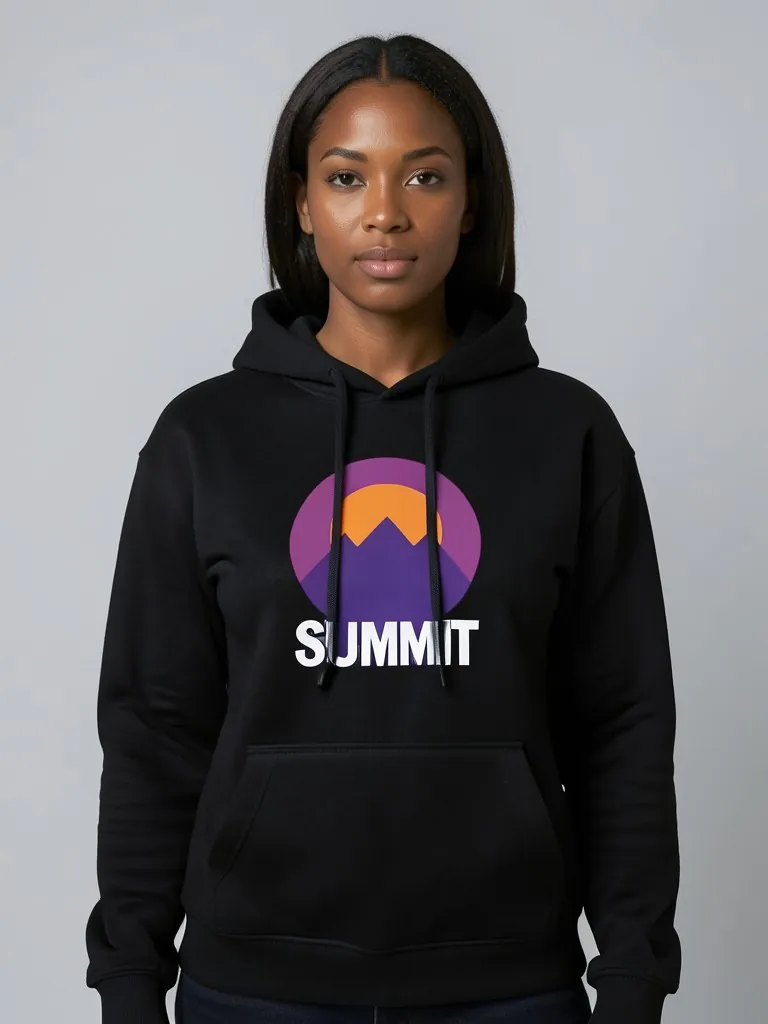
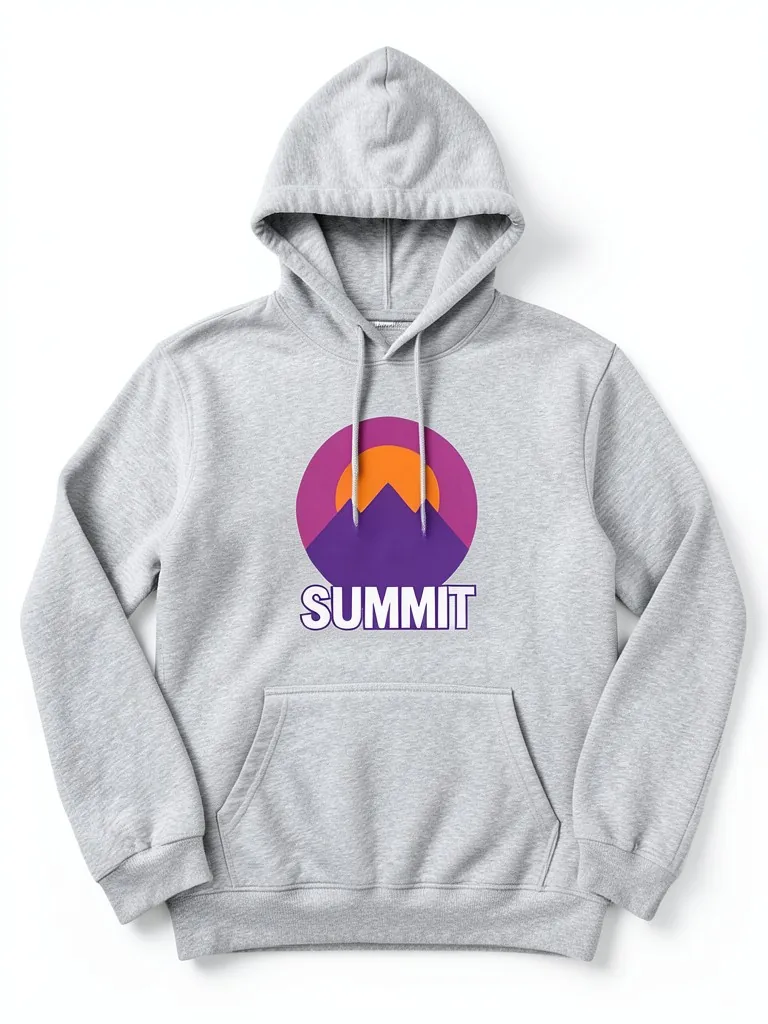
Features
Prints follow the fabric
The design bends with the hoodie's folds and pocket seam, so it reads as printed, not pasted.
Models for every audience
Show the same hoodie on women and men with different skin tones, without a photoshoot.
Every colorway in minutes
Generate black, grey, navy and seven more colors from one upload.
Free to try
Your first mockup is free with no account and nothing to install.
How It Works
Upload your design
A PNG with a transparent background works best. A sharp JPG of the artwork on a plain background also works.
Pick the hoodie color and placement
Choose from 10 blank colors and put the design on the center chest, the left chest or above the pocket.
Choose the mockup style
Pick one of 8 AI models, a flat lay from above or a hanger shot, then a studio or lifestyle background.
Generate and download
Check that your artwork matches, download the mockup, and run it again for every color you sell.
Use Cases
Print-on-demand stores
Make listing photos for Etsy, Shopify, Printful or Printify hoodies before ordering samples.
Key Benefits:
- •Launch designs before samples arrive
- •One photo per colorway
- •Fresh images, not the same stock mockup
Merch drops and brands
Preview a new hoodie design on models and share it for feedback or pre-orders.
Key Benefits:
- •Test designs with your audience
- •Pre-order pages that look real
- •Consistent photos across a drop
Teams, clubs and events
Show a group what the club, school or event hoodie will look like before you order.
Key Benefits:
- •Agree on a color before buying
- •Easy to share in a group chat
- •No design software needed
Frequently Asked Questions
A hoodie mockup is a realistic image that shows your design printed on a hoodie. Sellers use it for product listings, pre-orders and social posts before the real hoodie is made.
Upload your design, pick the hoodie color, where the print goes and the mockup style, then press Create Hoodie Mockup and sign up free to see it. The first mockup is free with a free account.
A high-resolution PNG with a transparent background gives the cleanest print. Text should be large and sharp; very thin lines and tiny text are the hardest for the AI to copy.
The AI is told to copy your artwork's shapes, letters and colors exactly. Simple logos and bold graphics come out closest. Check every mockup against your file before you list it, and run it again if a letter is off.
Yes. When the product exists, upload a photo of it to the Put Clothes on AI Model tool on this site, and an AI fashion model wears it in a studio or lifestyle shot. It is the next step after a mockup: the same design, now as a full on-model product photo.
No. Every model in these mockups is generated by AI and is an adult. No real person's face or body is used, so you do not need model releases.
Upload only artwork you made or have the rights to use. Do not upload other brands' logos, sports team marks or characters you do not own.
Yes, a free account. Press the button, then sign up free to see your first hoodie mockup. More mockups use credits from your free account or a plan; see the pricing page.
Apparel and merch mockups
Show your print or logo on blank apparel, hats, bags and tags before you make it.
- Apparel Mockup
- T-Shirt Mockup
- Front and Back T-Shirt Mockup
- Black T-Shirt Mockup
- White T-Shirt Mockup
- Tank Top Mockup
- Polo Shirt Mockup
- Sports Jersey Mockup
- Black Hoodie Mockup
- Print on Demand Hoodie Mockup
- Sweatshirt Mockup
- Sweater Mockup
- Jacket Mockup
- Sweatpants Mockup
- Shorts Mockup
- Hat Mockup
- Cap Mockup
- Trucker Hat Mockup
- Bucket Hat Mockup
- Beanie Mockup
- Scarf Mockup
- Sock Mockup
- Apron Mockup
- Tote Bag Mockup
- Canvas Bag Mockup
- Shopping Bag Mockup
- Clothing Tag Mockup
- Embroidery Mockup
- Sticker Mockup
- T-Shirt Template
- Fonts for T-Shirts
- Puff Print Guide