AI Tools (5318)
Description Generator (19)
FREE- AI Description Generator
- Product Description Generator
- Outfit Description Generator
- Product Description Writer
- AI Business Description Generator
Name Generator (50)
FREE- Product Name Generator
- Restaurant Name Generator
- Project Name Generator
- Cafe Name Generator
- Coffee Shop Name Generator
Upload Your Mannequin Photo
Who should wear your product. Showing more than one model helps shoppers picture the fit.
Use white for the main listing image; lifestyle scenes work well as extra photos.
Full body for dresses, trousers and outfits; waist-up for tops and jackets.
The options below are optional and already filled in.
Preview
Preview
Your image will appear here
Upload an image and click Generate to see your AI-enhanced preview
Mannequin to Model AI: Replace a Mannequin With a Real Model
Turn a photo of an outfit on a mannequin or dress form into a photo of a real-looking model wearing it.
Overview
Mannequin photos are quick to take in a shop or studio, but a stiff plastic form does not show how clothes move and fit on a person. Upload the mannequin photo you already have, choose a model, pose and background, and the AI swaps the mannequin for a realistic model in the same outfit while keeping the colors, prints and details. Use the result on product pages, in lookbooks or in social posts.
- •Works from a mannequin, dress form or display stand photo
- •Removes the mannequin, stand and base completely
- •Keeps the outfit's color, print, logo and layering
- •Women and men of different skin tones and body types, including plus-size
- •White studio, grey, beige and lifestyle backgrounds
Example Results
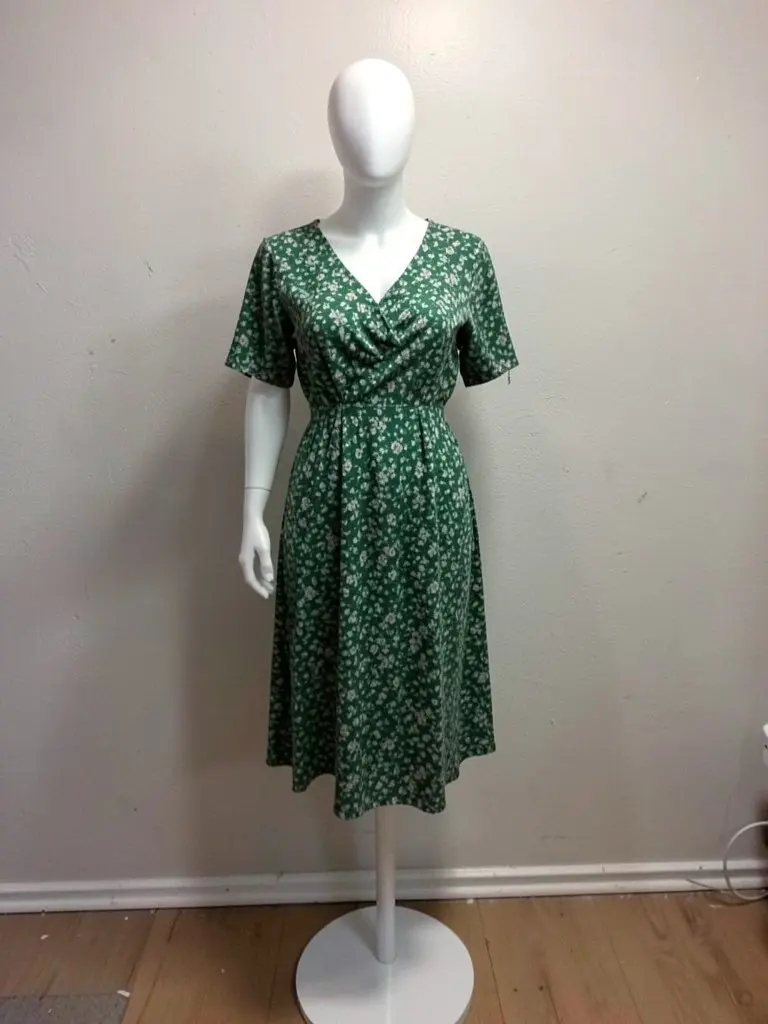
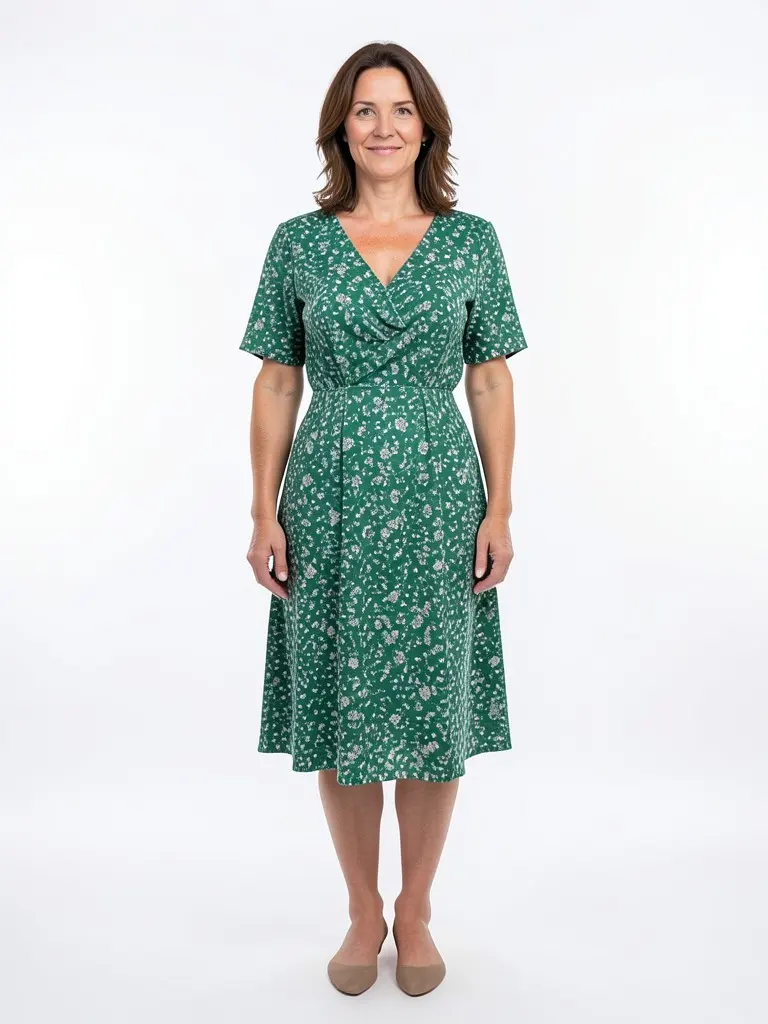
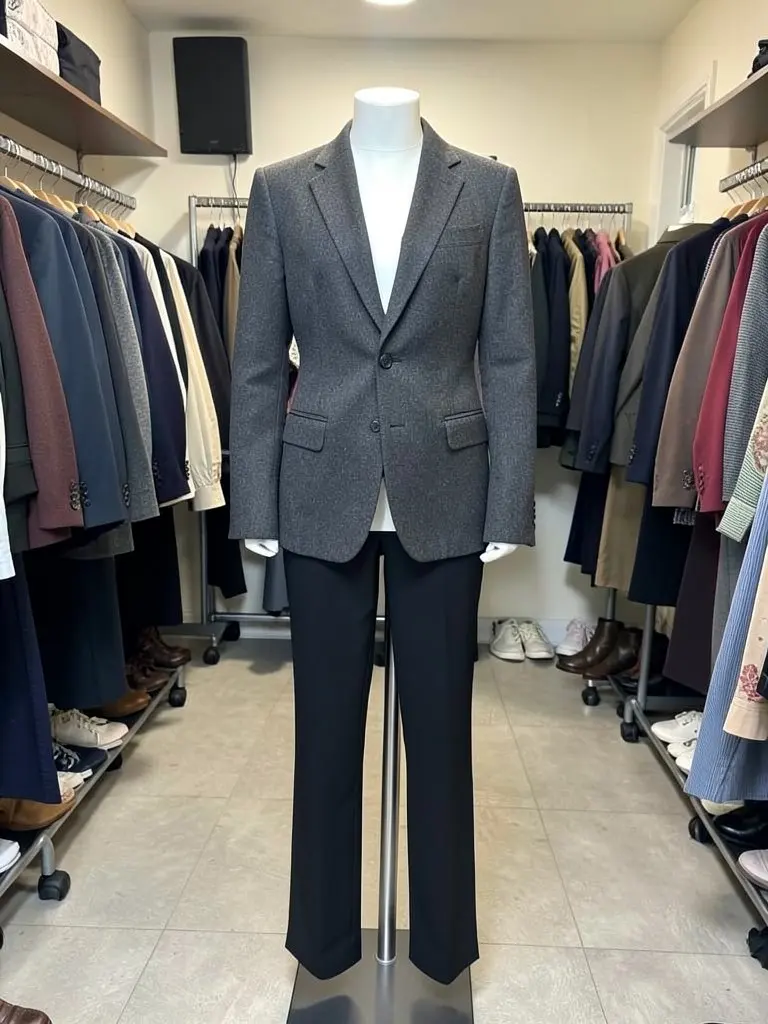
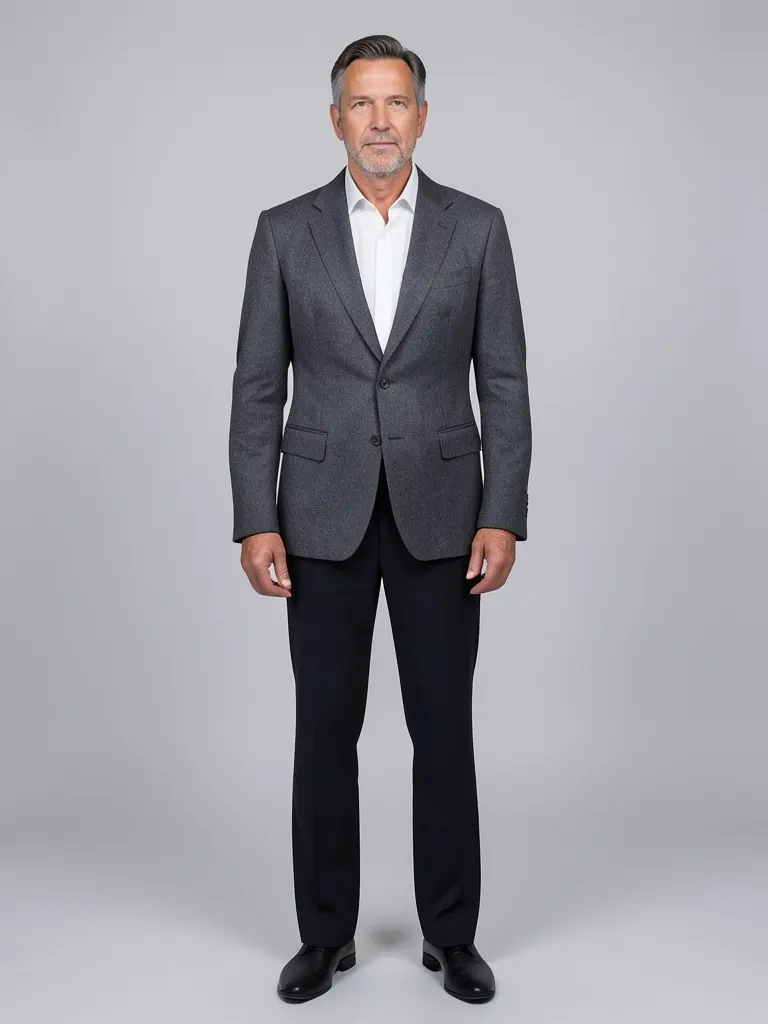
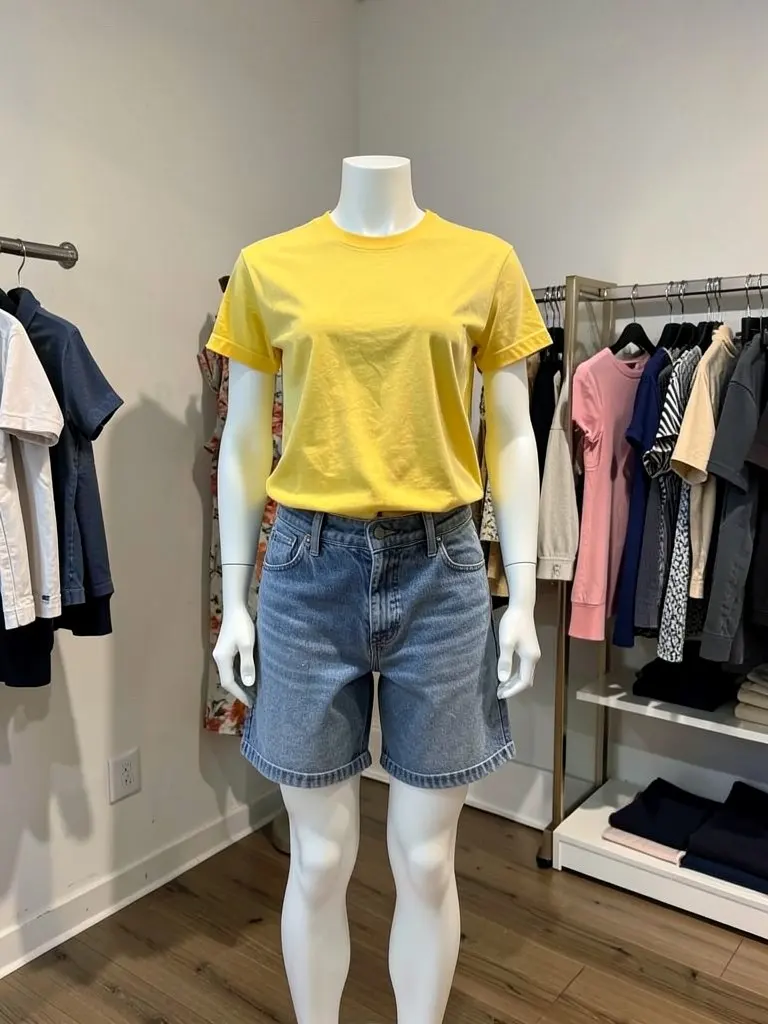
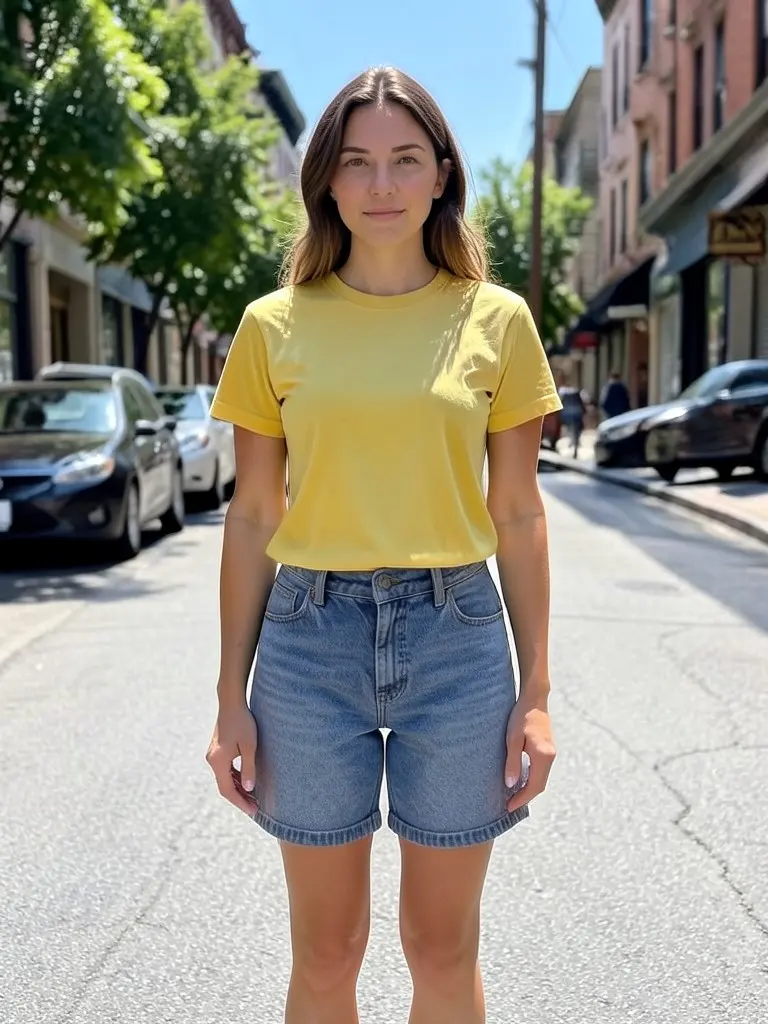
Features
Same outfit, real body
The prompt tells the AI to keep every garment's color, print, buttons and length, and to drape the clothes naturally on the model.
Mannequin fully removed
The mannequin, its stand and its base are taken out of the picture, so no plastic arms or poles are left behind.
Diverse models
Black, white, South Asian, East Asian and Latina/Latino models in slim, athletic, plus-size and big-and-tall builds.
Fast for boutiques
Photograph new arrivals on the shop mannequin as usual and get model photos the same day.
How It Works
Upload the mannequin photo
Use a sharp, well-lit photo with the whole outfit visible, front-facing, on a plain background if you can.
Choose the model
Pick who should wear the outfit, the pose, the framing and the background.
Generate
The AI replaces the mannequin with the model you chose, wearing the same clothes.
Check and use it
Compare the result with the real garment, then download it for your product page, lookbook or social post.
Use Cases
Boutiques and clothing shops
Turn the outfits you style on your shop mannequins into model photos for your online store and social pages.
Key Benefits:
- •Uses photos you already take in the shop
- •Shows fit and movement better than a mannequin
- •Same look across new arrivals
Online stores
Replace mannequin product shots with on-model images so shoppers can picture the fit.
Key Benefits:
- •Model photos without a photoshoot
- •Several models for one outfit
- •White studio background for main images
Tailors and fashion designers
Show pieces made on a dress form as they would look on a person, for portfolios, lookbooks and client previews.
Key Benefits:
- •Works from a dress form photo
- •Different body types for one design
- •Lifestyle scenes for lookbooks
Frequently Asked Questions
A sharp, front-facing photo of the full outfit on a mannequin or dress form, in good light, ideally on a plain background. Make sure no part of the clothing is cut off at the edge of the photo.
The AI is told to keep colors, prints, logos, buttons and lengths unchanged, and simple pieces such as shirts, dresses, jackets and trousers usually come out closest. Fine text, small logos and sheer fabrics are the hardest. Always compare the result with the real item before you publish it, so customers get what they see.
Yes. Full mannequins, headless mannequins, torso forms and dress forms all work. The AI adds a complete model with a head, arms and legs that suit the framing you choose.
A ghost mannequin photo already has the mannequin removed. You can still upload it here and the AI will put the garment on a model.
Yes. Generate again with a different model to show the outfit on different skin tones and body types.
Each generated photo uses 1 credit. See the pricing page for plans.
Yes. Upload the mannequin photo, pick the model, pose and background, and the AI replaces the mannequin with an adult AI model wearing the same clothes. The model is generated by AI, not a real person.
The AI is told to remove the whole mannequin, its stand and its base. If a part of the stand is left, generate again or use a photo where the stand is less visible.
Your first photo is free with a free account: upload your photo, pick the settings and press the button, then sign up free to see it. More photos use credits; see the pricing page.
Put your clothes on an AI model
Turn a hanger, flat lay or mannequin photo into an on-model photo, a lookbook shot or a new pose.
- Put Clothes on an AI Model
- Flat Lay to Model
- AI Garment Photoshoot
- AI Lookbook Generator
- AI Outfit Generator
- AI Pose Generator
- AI Pose Changer