AI Tools (5318)
Description Generator (19)
FREE- AI Description Generator
- Product Description Generator
- Outfit Description Generator
- Product Description Writer
- AI Business Description Generator
Name Generator (50)
FREE- Product Name Generator
- Restaurant Name Generator
- Project Name Generator
- Cafe Name Generator
- Coffee Shop Name Generator
Upload Your Clothing Photo
Tells the AI which inside detail to show, like a real two-shot ghost mannequin photo.
Pure white suits Amazon, Shopify, Etsy and most marketplaces.
The options below are optional and already filled in.
Preview
Preview
Your image will appear here
Upload an image and click Generate to see your AI-enhanced preview
AI Ghost Mannequin Generator: Remove Mannequin & Background
Turn one photo of a garment on a mannequin, hanger or table into a ghost mannequin product photo on a clean background.
Overview
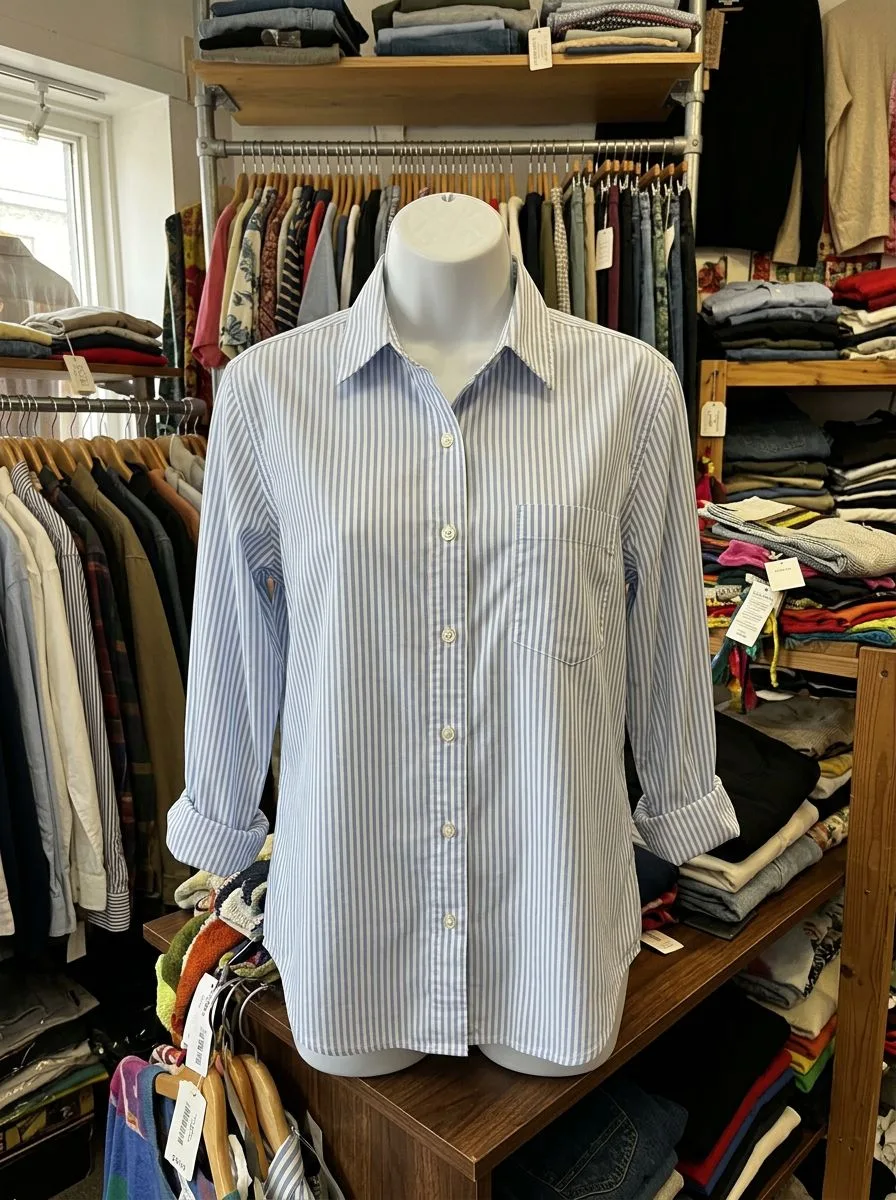
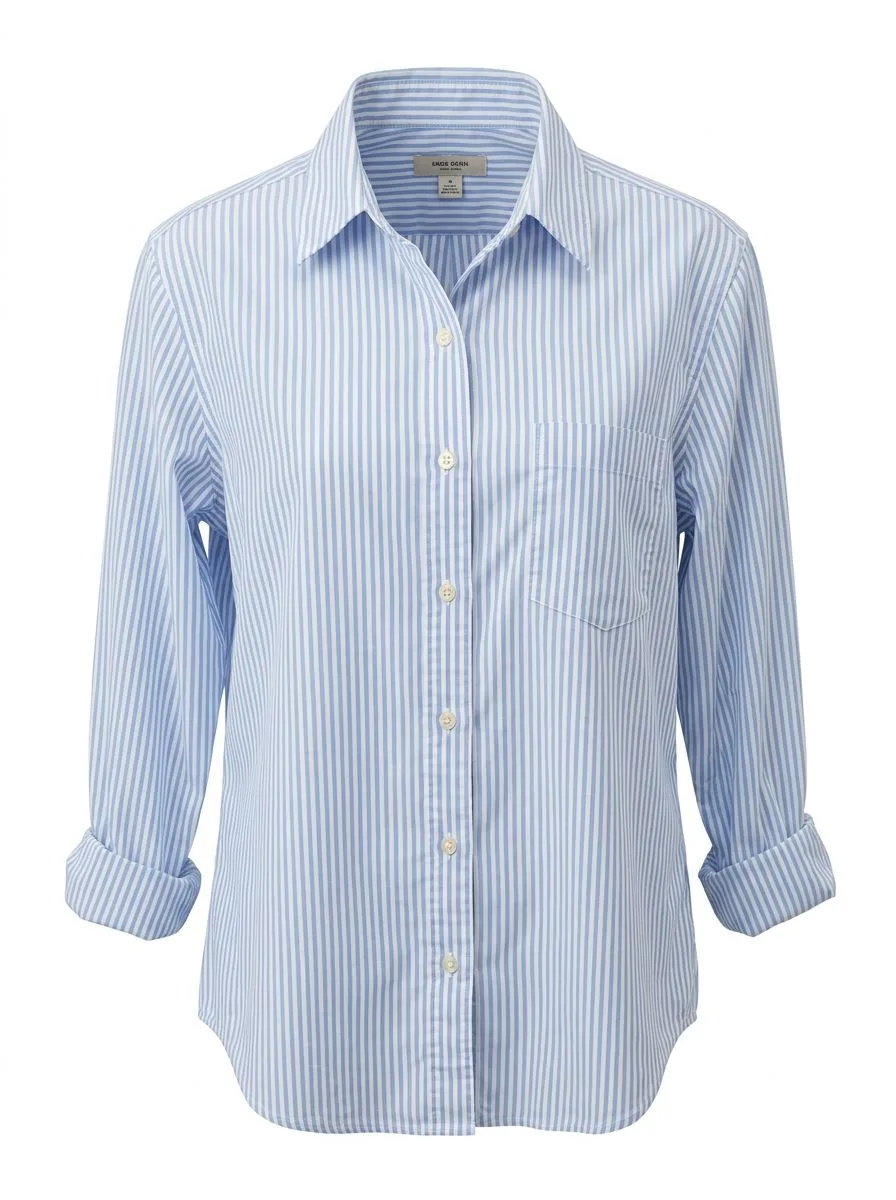
A ghost mannequin photo (also called an invisible mannequin or hollow man photo) shows clothing in its real 3D worn shape with no mannequin and no model in the picture. Done by hand, it takes two shots of every garment and a Photoshop composite. Here you upload one photo, even a phone picture of the item on a mannequin, a hanger or laid flat, pick the garment type and background, and the AI removes the mannequin and the background in one step, gives the garment a natural hollow shape and shows the inside of the neckline or waistband the way a studio ghost shot does.
- •One photo in, no second inside shot and no Photoshop
- •Works from a mannequin, dress form, hanger or flat lay photo
- •Shows the inside back of the neckline or waistband
- •Keeps the garment's color, print, logo and stitching
- •Pure white, light grey or off-white background
Example Results
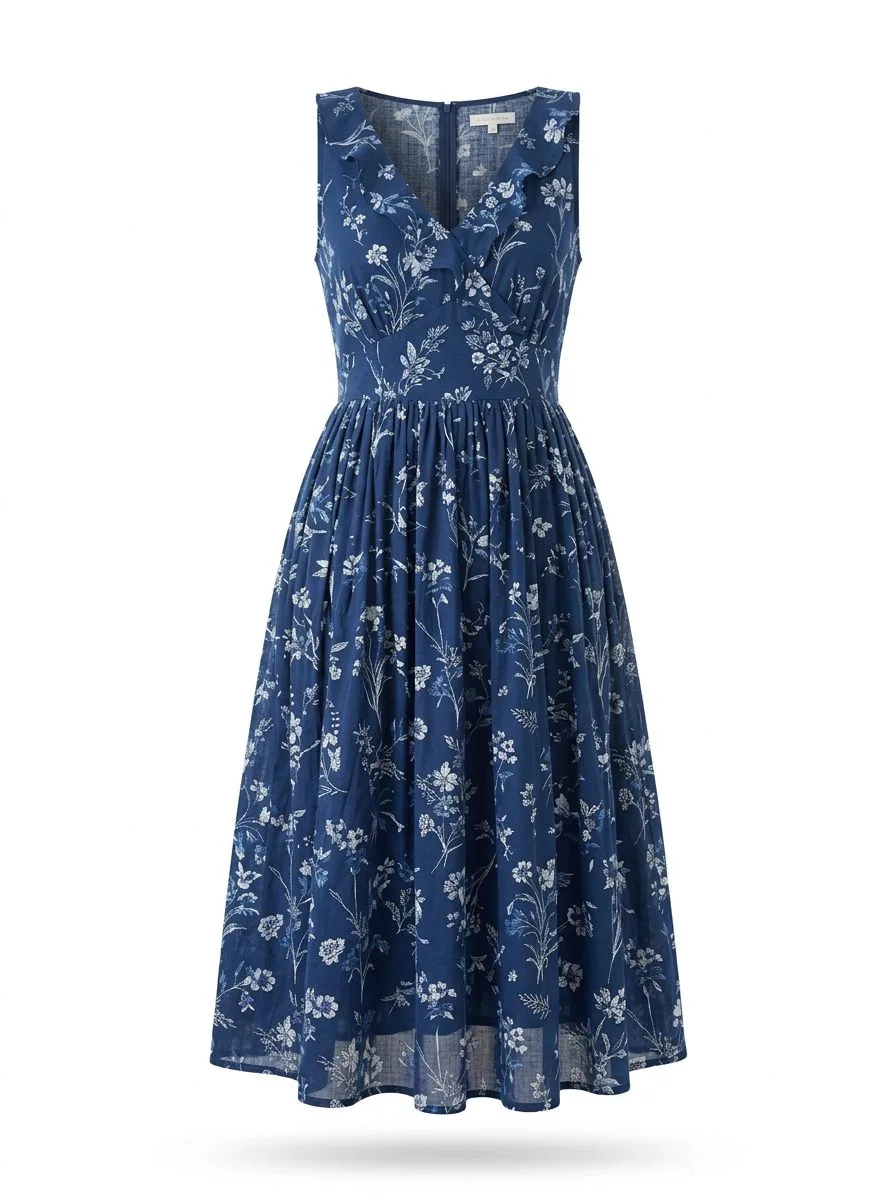
Features
Real ghost mannequin effect
The garment keeps a worn 3D shape with the inside of the collar or waistband visible, not a flat cut-out.
Mannequin and clutter removed
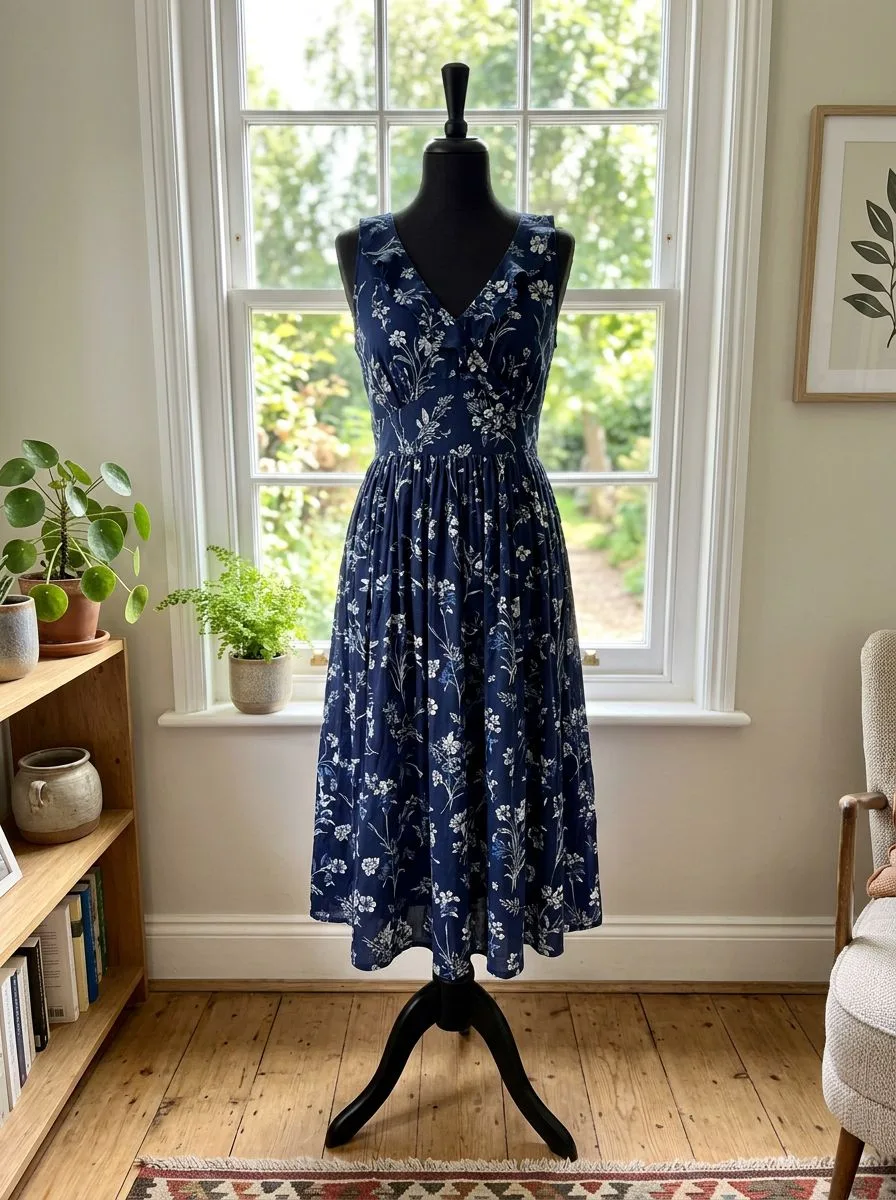
Mannequin, dress form, hanger, stand, tags on the wall and the room behind are all taken out.
Same garment details
The AI is told to keep the exact color, fabric texture, print, logo, buttons and proportions.
Catalog-consistent
Use the same background and view for every product so your collection page looks like one shoot.
How It Works
Upload a clothing photo
A sharp, well-lit photo with the whole garment visible. On a mannequin is best; a hanger or a neat flat lay also works.
Pick the garment type
Top, jacket, dress, trousers or skirt, so the AI knows to open the neckline or the waistband.
Choose background and view
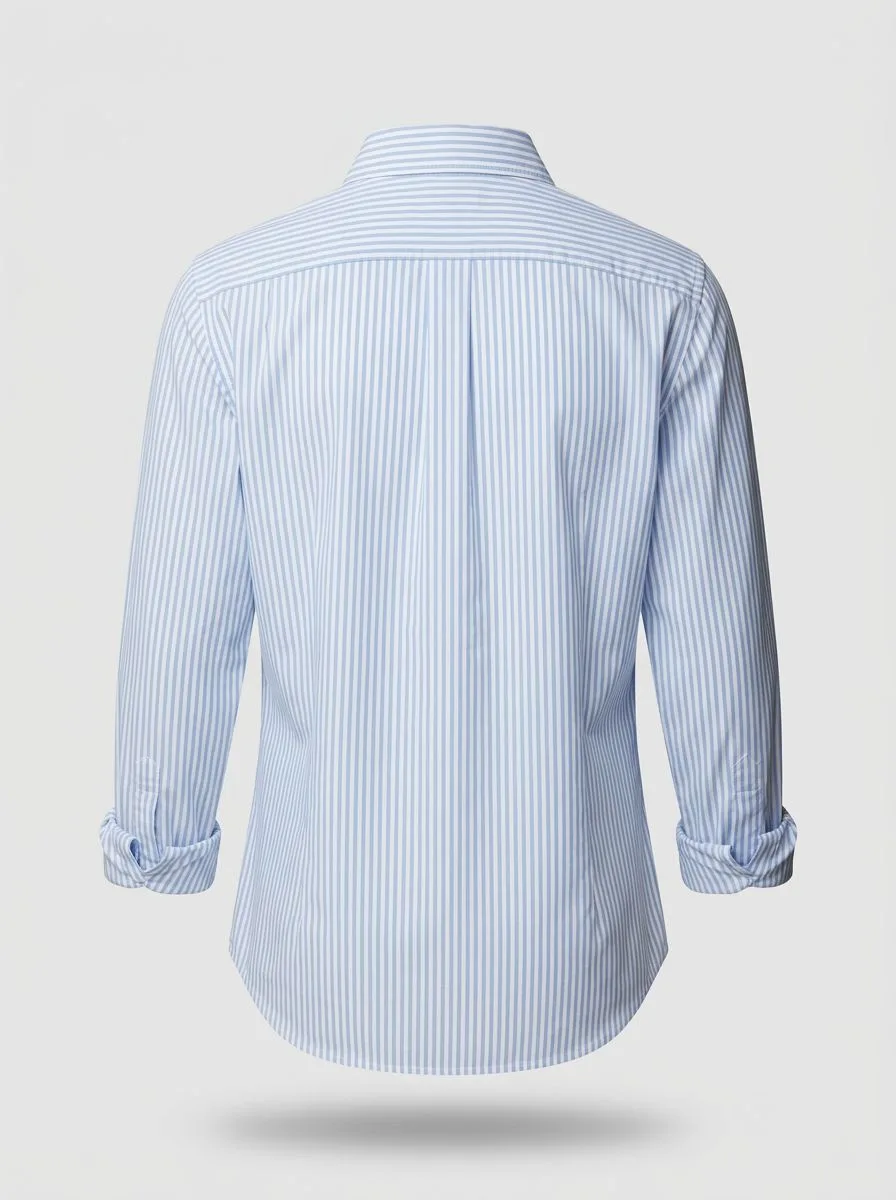
Pure white for marketplace main images, grey or off-white for your own store. Front, back or three-quarter.
Generate and check
Compare the result with the real garment, then download it for your product page.
Use Cases
Online clothing stores
Make clean, consistent product images for Shopify, WooCommerce and your own store without a studio.
Key Benefits:
- •One photo per garment instead of two
- •No retouching cost
- •Same look across the whole catalog
Marketplace and resale sellers
Turn quick phone photos for Etsy, eBay, Poshmark, Depop or Amazon into tidy product shots that stand out in search results.
Key Benefits:
- •Removes messy rooms and hangers
- •White background for listing rules
- •Shows fit better than a flat photo
Brands and print-on-demand
Show tees, hoodies and jackets as ghost mannequin mockups for new drops, lookbooks and ads.
Key Benefits:
- •Fast images for new designs
- •Front and back views
- •Matches studio ghost mannequin style
Frequently Asked Questions
It is a clothing product photo where the mannequin has been removed, so the garment looks like it is worn by an invisible body. It is also called an invisible mannequin or hollow man photo. Studios make it by shooting the garment on a mannequin, shooting the inside of the neckline separately and joining the two in Photoshop. This tool makes the same look from one photo.
Upload the photo here, pick the garment type and a white, grey or off-white background, and generate. The AI takes out the mannequin or dress form, the stand and the room behind it in one step, and fills the space where the mannequin was so the garment keeps a hollow, worn shape. A plain background remover only cuts out the outline and leaves the mannequin's neck and body showing; a ghost mannequin edit removes those too.
Ghost mannequin photos show shape and fit without the cost of a model and look more premium than a flat lay. Many stores use a ghost mannequin or white background shot as the main image and add on-model photos as extra images. For on-model photos, see the mannequin to model tool.
A sharp, evenly lit photo of the whole garment, front-facing, with nothing covering it. A photo on a mannequin or dress form gives the most natural 3D shape. Hanger and flat lay photos also work, but the AI has to guess more of the shape.
Ghost mannequin images on a pure white background are widely used on Amazon, but Amazon's rules for the main image differ by category, and some clothing categories require a photo on a model for the main image. Check the current Amazon rules for your category, and use ghost mannequin images as extra images where needed.
The AI is told to keep colors, prints, logos and stitching unchanged, and simple garments such as tees, shirts, jackets and jeans come out closest. Small text, fine logos and sheer fabrics are the hardest. Always compare the result with the real item before you publish it, so customers get what they see.
You can upload a photo and try the tool straight from this page. Each generated photo uses 1 credit; see the pricing page for plans.
AI product photos by product
Store photos for each kind of product: dresses, jeans, jackets, shoes, bags, watches, sunglasses and jewelry.
AI Clothing Product Photography
- AI Dress Photography
- AI Jeans Photography
- AI Jacket Photography
- AI Sportswear Photos
- AI Streetwear Photos
- AI Shoes Model
- AI Handbag Photography
- AI Watch Photography
- AI Sunglasses Model
- AI Jewelry Model
- AI Handkerchief Photography
- AI Headphones Photography
- AI Ecommerce Product Photography
- AI Flat Lay Generator
- How to Photograph Clothing on a Mannequin
- Clothes Color Changer
- Dress Color Changer