AI Tools (5318)
Description Generator (19)
FREE- AI Description Generator
- Product Description Generator
- Outfit Description Generator
- Product Description Writer
- AI Business Description Generator
Name Generator (50)
FREE- Product Name Generator
- Restaurant Name Generator
- Project Name Generator
- Cafe Name Generator
- Coffee Shop Name Generator
Upload a Photo of the Clothes
Only this garment changes color. Works on a person, a mannequin, a hanger or a flat lay.
The options below are optional and already filled in.
Preview
Preview
Your image will appear here
Upload an image and click Generate to see your AI-enhanced preview
Clothes Color Changer: Change the Color of Clothes in a Photo
Upload a photo, choose the garment and a new color. Only that garment changes; its folds, texture and the rest of the photo stay the same.
Overview
Selling a T-shirt in eight colors usually means photographing it eight times. Wondering how a jacket would look in navy instead of black means guessing. This clothes color changer recolors one garment in a photo you already have: pick the top, jacket, trousers, skirt, dress or the whole outfit, choose one of 19 colors and keep the original finish or make it matte or satin. The AI changes only that garment and keeps its shape, stitching, folds, shadows and fabric texture, so it looks photographed, not painted over. It works on a person, a mannequin, a hanger or a flat lay.
- •Change one garment's color, the rest of the photo stays the same
- •19 colors, from black and white to sage, burgundy and mustard
- •Keeps folds, shadows, seams and fabric texture
- •Works on a model, a mannequin, a hanger or a flat lay
- •Prints and logos keep their design
Example Results
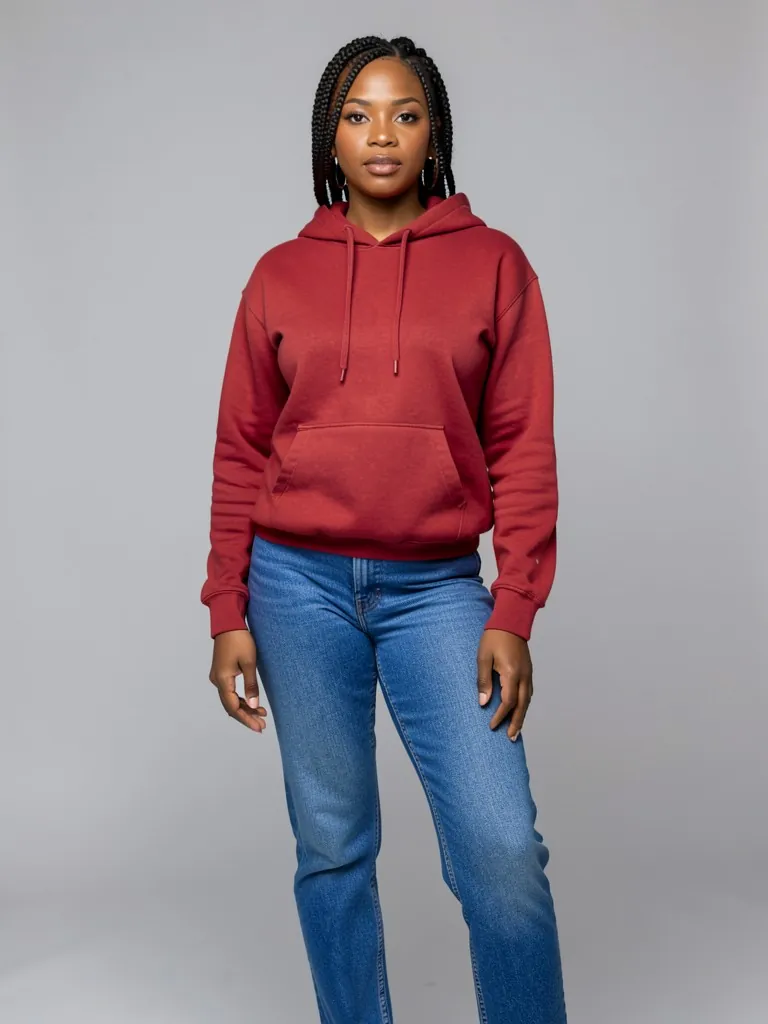
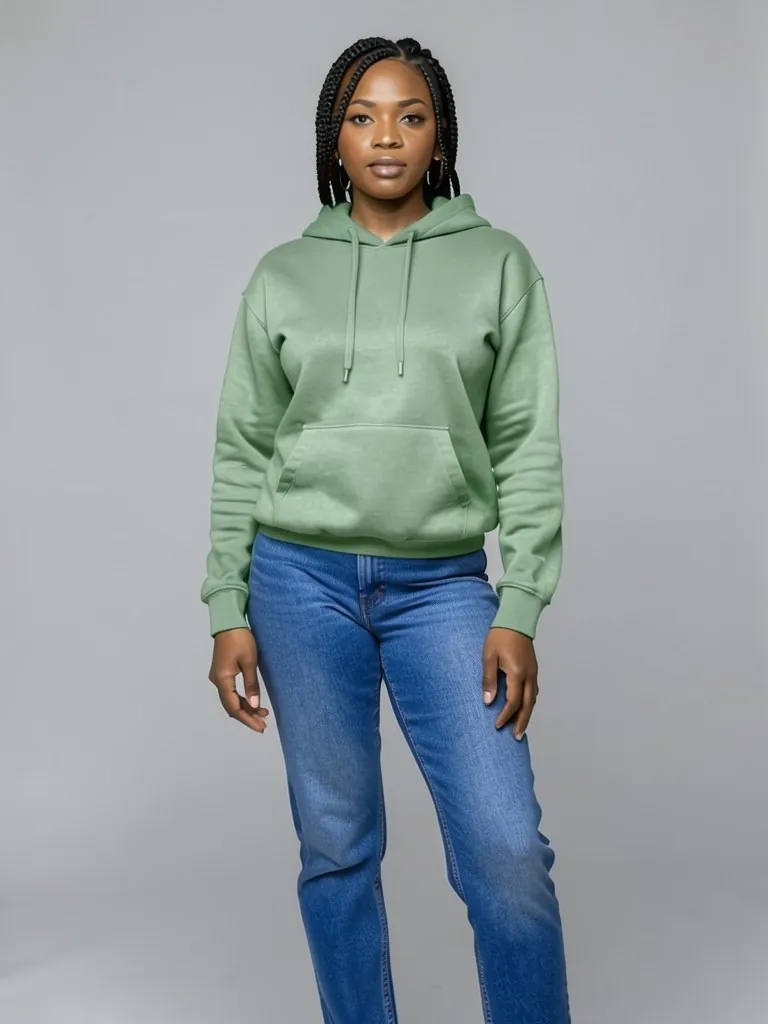
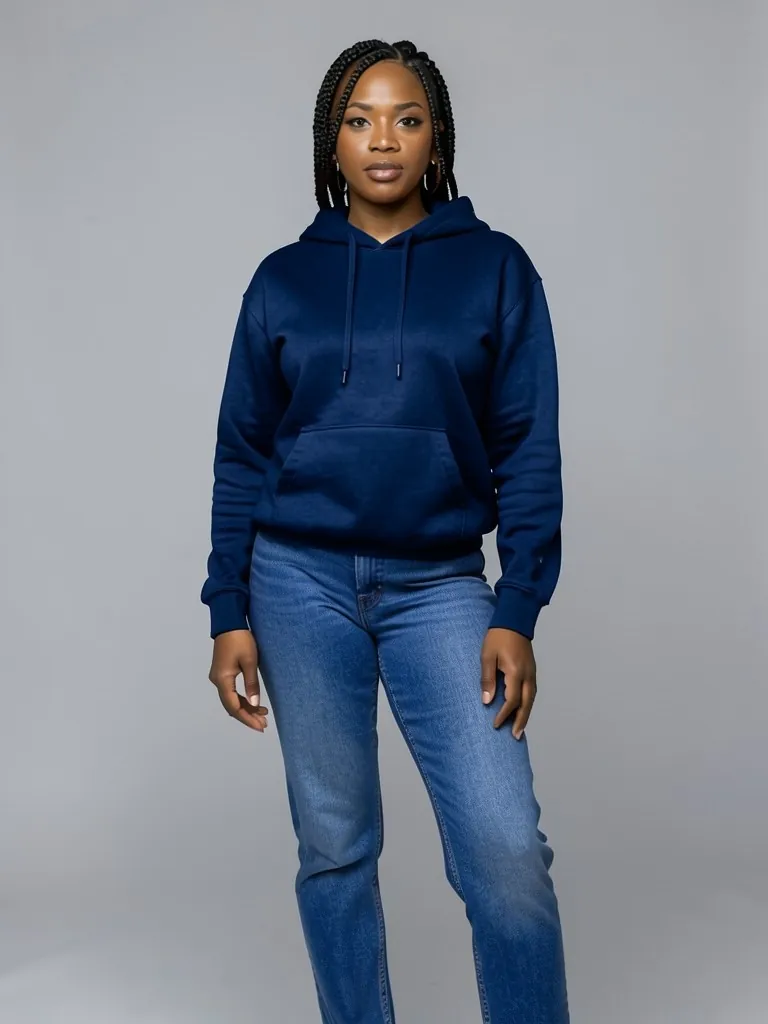
Features
Only the garment you pick
Skin, hair, background and the other clothes keep their original colors.
Looks real, not painted
Light and shade, creases and stitching are kept, so the new color sits naturally on the fabric.
Colorways from one photo
Show every color you sell with the same model and pose.
Free to try
Your first photo is free with no signup.
How It Works
Upload a photo
A clear photo where the garment is fully visible: on a person, a mannequin, a hanger or laid flat.
Choose the garment
Top, jacket, trousers, skirt, dress, the whole outfit, or the only item in a product photo.
Pick the new color
Choose from 19 colors and keep the original finish, or switch to matte or satin.
Change color and compare
Download the result, or run it again in another color to build a full colorway set.
Use Cases
Product colorways
Make one photo per color for listings and color swatches without reshooting.
Key Benefits:
- •Same pose in every color
- •Matches your catalog
- •Faster new-color launches
Try a color before you buy or make it
See a jacket, suit or dress in another shade before you order fabric or stock.
Key Benefits:
- •Compare shades side by side
- •Test samples with customers
- •No dye or fabric cost
Outfit ideas
Try how an outfit looks with different colored pieces.
Key Benefits:
- •Mix and match colors
- •Plan outfits
- •Share options with friends
Frequently Asked Questions
Upload the photo, choose which garment to change, pick the new color and press Change Color. The AI recolors only that garment and keeps its folds, texture and shadows.
The AI is told to keep the person, background, light and every other garment exactly as they are. Simple photos with one clear garment give the cleanest result.
Yes, that is one of the main uses. Run the same photo once per color. Real dyes can look slightly different from a picture, so compare with a real sample before you publish, and say in your listing if a photo is a color preview.
Prints, patterns and logos keep their design and are recolored to match. Very small text and fine multi-color prints are the hardest; solid colors come out best.
No. Some searches for color-changing clothes mean heat- or UV-sensitive fabric. This tool changes the color of clothes in a photo; it does not sell or make color-changing garments.
Yes. The dress color changer on this site is tuned for dresses and gowns, with dress colors such as blush, emerald and champagne.
Yes, a free account. Upload a garment and press the button, then sign up free to see your first photo. After that, more photos use credits from your free account or a plan; see the pricing page.
AI product photos by product
Store photos for each kind of product: dresses, jeans, jackets, shoes, bags, watches, sunglasses and jewelry.
AI Clothing Product Photography
- AI Dress Photography
- AI Jeans Photography
- AI Jacket Photography
- AI Sportswear Photos
- AI Streetwear Photos
- AI Shoes Model
- AI Handbag Photography
- AI Watch Photography
- AI Sunglasses Model
- AI Jewelry Model
- AI Handkerchief Photography
- AI Headphones Photography
- AI Ecommerce Product Photography
- AI Ghost Mannequin Generator
- AI Flat Lay Generator
- How to Photograph Clothing on a Mannequin
- Dress Color Changer