AI Tools (5318)
Description Generator (19)
FREE- AI Description Generator
- Product Description Generator
- Outfit Description Generator
- Product Description Writer
- AI Business Description Generator
Name Generator (50)
FREE- Product Name Generator
- Restaurant Name Generator
- Project Name Generator
- Cafe Name Generator
- Coffee Shop Name Generator
Upload Your Garment Photo
One garment or one outfit, photographed on its own. Do not upload a photo of a person.
White for the main listing photo; textures work well as extra photos and on Instagram.
The options below are optional and already filled in.
Preview
Preview
Your image will appear here
Upload an image and click Generate to see your AI-enhanced preview
AI Flat Lay Generator for Clothing: Phone Photo to Clean Flat Lay
Turn a quick phone photo of a garment into a neat top-down flat lay for your listing.
Overview
A good flat lay takes an iron, a clean floor, a ladder and ten minutes of smoothing sleeves. Most sellers snap the piece on a hanger or on the bed instead, and the photo looks rushed next to a store's. Upload that photo and the AI shows the same garment laid flat, shot from straight above, on white, light grey, marble, linen, wood or pastel. Choose a smooth layout for the main photo, a casual styled one or a neat fold, and add simple props if you want. The color, print, logo and buttons stay the same, and the hanger, tags and background are removed. The input is the garment only: you never need a photo of a person.
- •First photo free with a free account
- •Works from hanger, bed, floor or mannequin photos
- •White, grey, marble, linen, wood or pastel backgrounds
- •Smooth, casual or folded layouts, props optional
- •Color, print, logo and buttons kept
- •Garment only: no photo of a person needed
Example Results
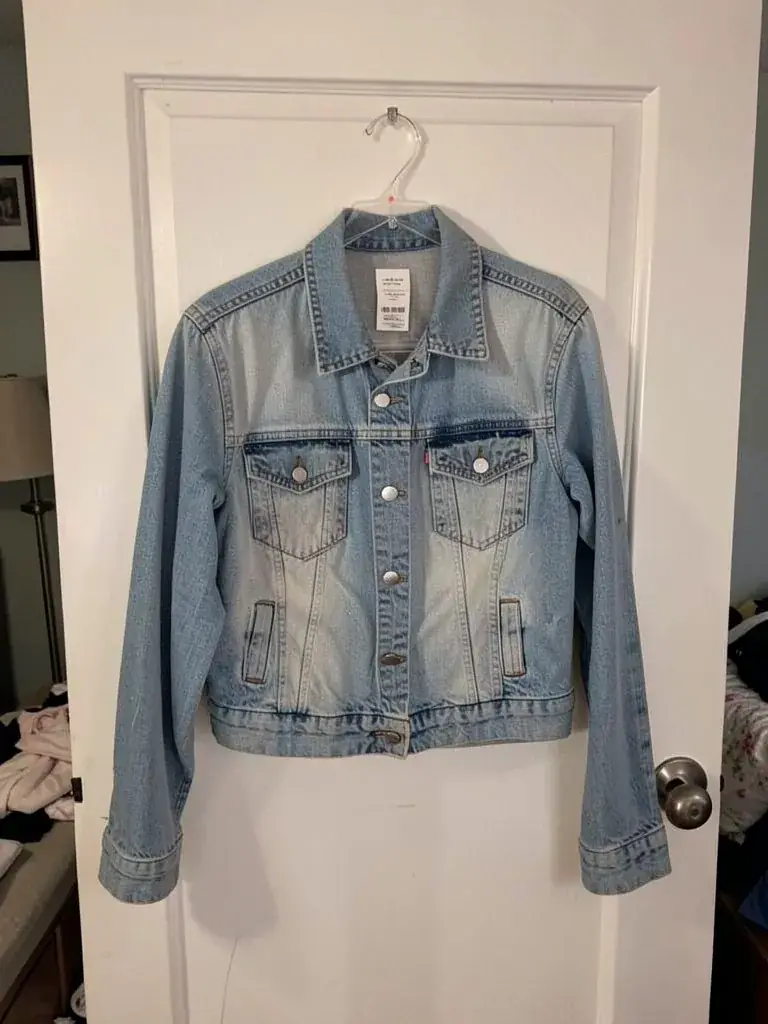
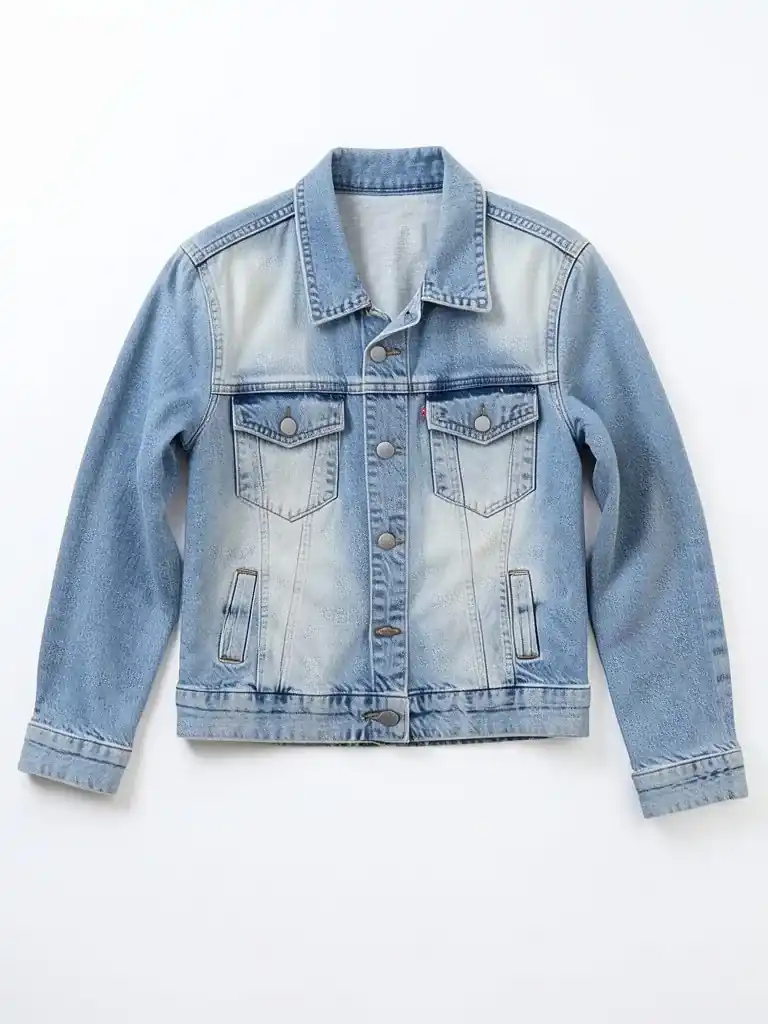
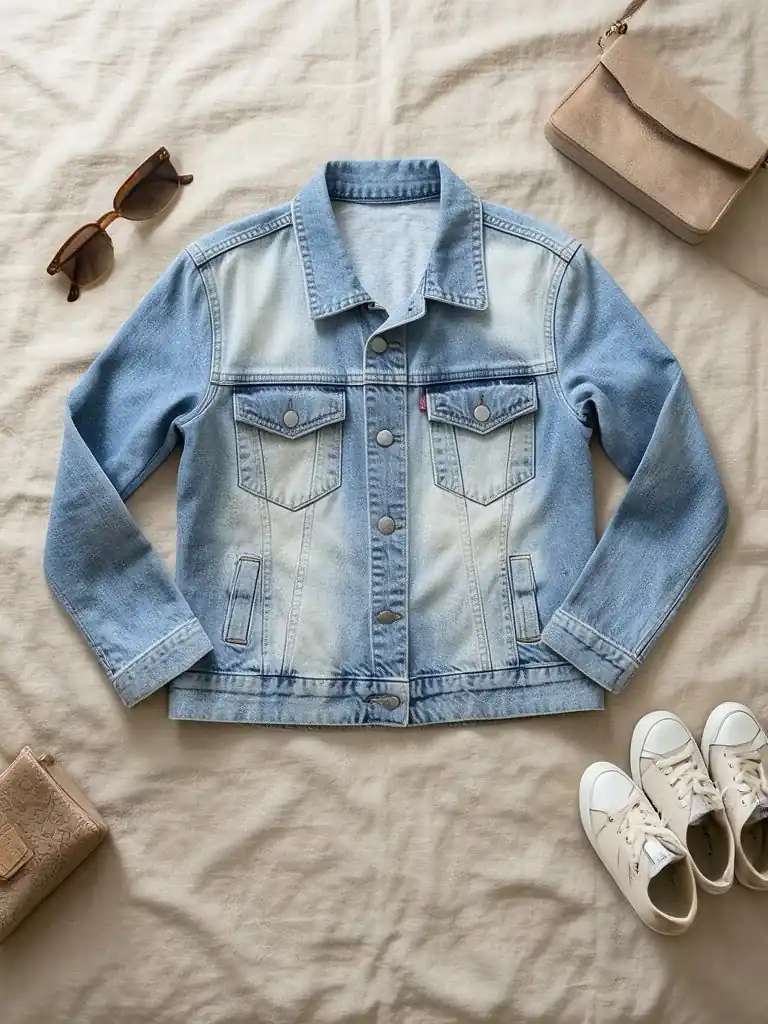
Features
Real top-down angle
Shot straight from above, the way marketplace flat lays look, with soft natural shadows.
Your piece, kept
Color, print, logo, text, buttons, pockets and length come from your photo.
No ironing, no setup
Creases, hangers, tags and a messy room are removed for you.
Listing-ready
White and grey for the main image, textured backgrounds and props for extra photos.
How It Works
Snap the garment
One piece or one outfit, on a hanger, a bed, the floor or a mannequin, in good light.
Say what it is
Top, bottom, dress, outerwear or a full outfit.
Pick the look
Layout, background and props.
Generate and download
Use it as the main photo, or as the first photo before an on-model shot.
Use Cases
Depop, Vinted, Poshmark and eBay sellers
A clean flat lay as the first photo makes a listing look like a shop. Pair it with our free Depop, Vinted, Poshmark, eBay and Mercari description generators.
Key Benefits:
- •Consistent first photos
- •No light box
- •Minutes per item
Small brands and drops
Matching flat lays for a whole collection, on one background.
Key Benefits:
- •Same look across items
- •Lookbook and socials
- •No studio day
Next step: on a model
Use the flat lay with Flat Lay to Model or the AI Clothing Model Generator to show the fit too.
Key Benefits:
- •Flat lay plus on-model
- •Same garment
- •Full listing set
Frequently Asked Questions
Yes. Your first flat lay is free with a free account: upload a garment photo and press the button, then sign up free to see it. More photos use credits from your free account or a plan.
A photo of the garment on its own, on a hanger, a bed, the floor or a mannequin, in good light with the whole piece in frame. Do not upload a photo of a person wearing it.
The AI is told to keep color, print, logo, text, buttons and length, and most pieces come out close. Fine prints and small text can change, so compare with the real item before you publish.
Yes. Pick Accessories to add sunglasses, a small bag and sneakers around the garment, or Plant and coffee for a lifestyle look. Keep No props for the main listing photo.
Yes. Upload the flat lay to Flat Lay to Model or the AI Clothing Model Generator to get the same piece worn by an adult AI model.
Yes, a free account. Upload a garment and press the button, then sign up free to see your first photo. After that, more photos use credits from your free account or a plan; see the pricing page.
AI product photos by product
Store photos for each kind of product: dresses, jeans, jackets, shoes, bags, watches, sunglasses and jewelry.
AI Clothing Product Photography
- AI Dress Photography
- AI Jeans Photography
- AI Jacket Photography
- AI Sportswear Photos
- AI Streetwear Photos
- AI Shoes Model
- AI Handbag Photography
- AI Watch Photography
- AI Sunglasses Model
- AI Jewelry Model
- AI Handkerchief Photography
- AI Headphones Photography
- AI Ecommerce Product Photography
- AI Ghost Mannequin Generator
- How to Photograph Clothing on a Mannequin
- Clothes Color Changer
- Dress Color Changer