AI Tools (5318)
Description Generator (19)
FREE- AI Description Generator
- Product Description Generator
- Outfit Description Generator
- Product Description Writer
- AI Business Description Generator
Name Generator (50)
FREE- Product Name Generator
- Restaurant Name Generator
- Project Name Generator
- Cafe Name Generator
- Coffee Shop Name Generator
Upload Your Kurti Photo
If your set includes a dupatta, show it so buyers see the full set.
Pick a model who looks like your customers.
Full body shows the kurti length and the bottoms; knee-up shows the embroidery and neckline closer.
White or light grey for marketplace listings (Meesho, Myntra, Amazon, Daraz); the festive scenes suit Instagram and ads.
The options below are optional and already filled in.
Preview
Preview
Your image will appear here
Upload an image and click Generate to see your AI-enhanced preview
AI Kurti Model Generator: Put Your Kurti on a Model
Upload a kurti photo and see it worn by a realistic model, styled the way your customers wear it.
Overview
Kurti sellers add new prints every week, and a hanger photo does not show where the kurti ends, how the A-line flares or whether the neckline is deep. This tool takes your flat lay, hanger or mannequin photo and puts the same kurti on an AI model. You choose what it is worn with (palazzo, leggings, churidar, sharara or jeans), whether the dupatta is shown, the model and the backdrop. The print, embroidery, neckline, sleeves and length are kept from your photo, so the result can go straight on a listing after a quick check.
- •First photo free with a free account
- •Straight, A-line, anarkali and short kurtis, kurta sets and tunics
- •Styled with palazzo, leggings, churidar, sharara or jeans
- •Dupatta on or off, from your photo
- •Adult AI models only
Example Results
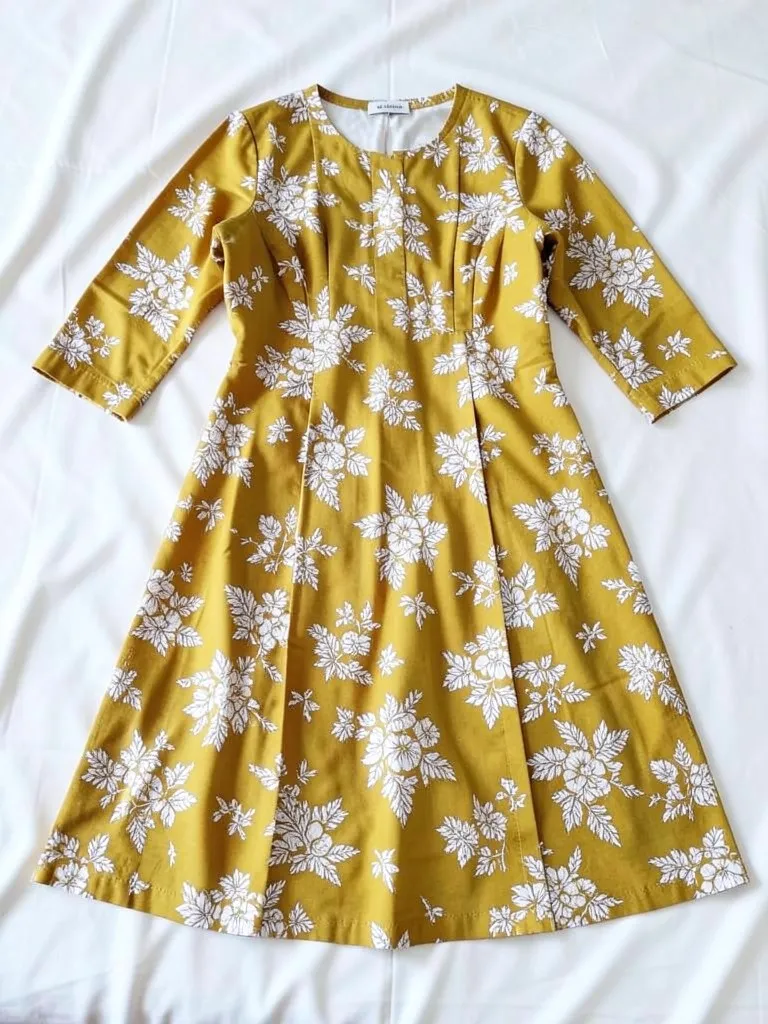
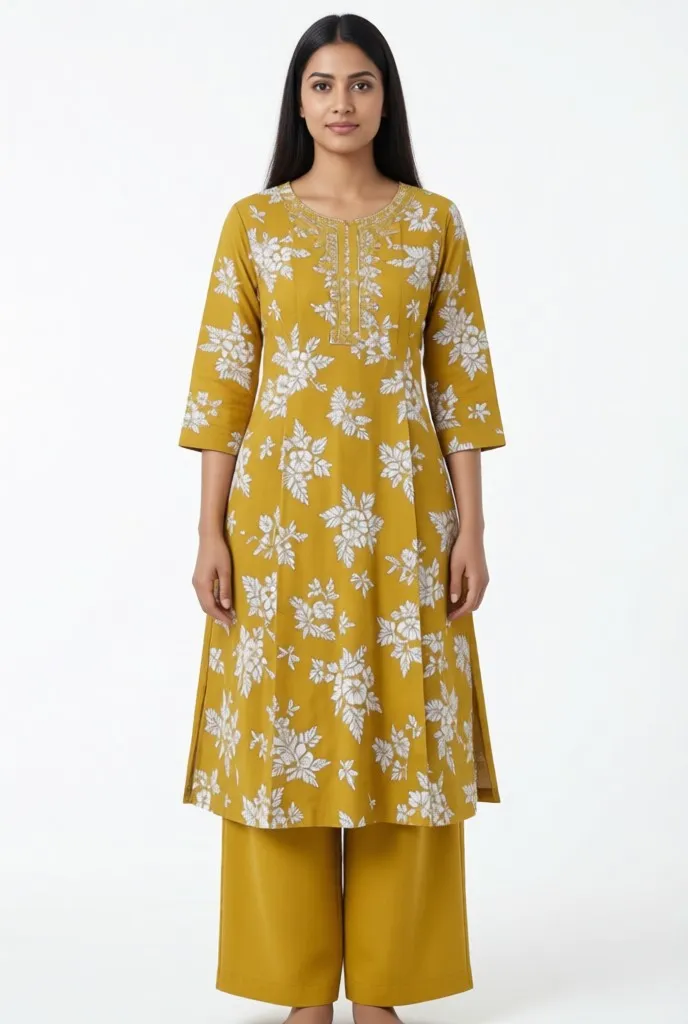
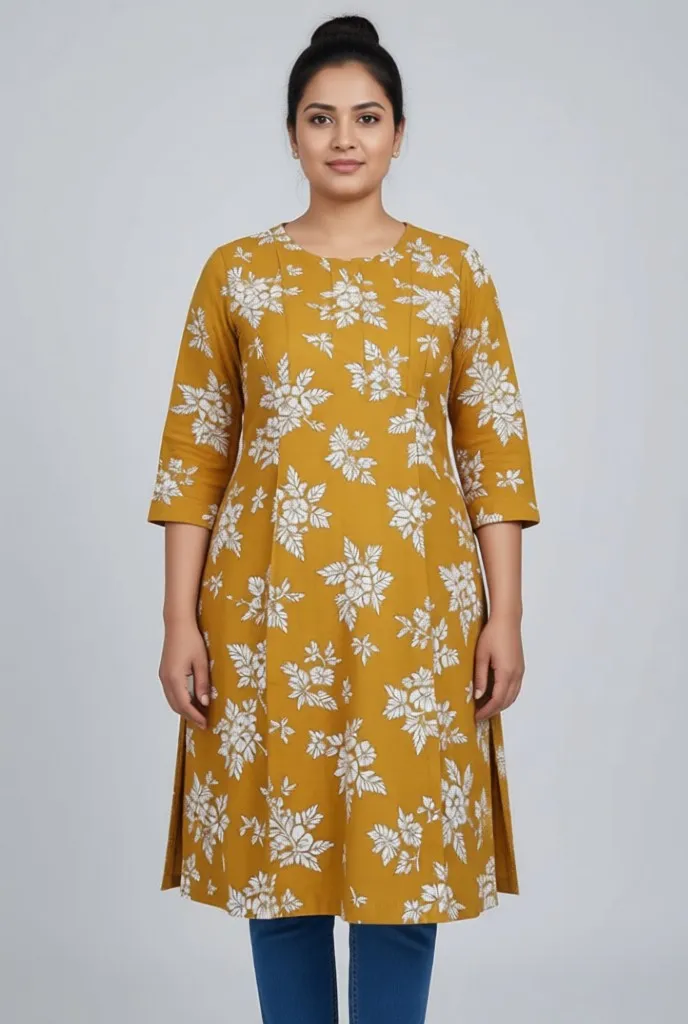
Features
Length and fit kept
Short, hip, knee and ankle lengths and straight, A-line or anarkali cuts stay as in your photo.
Styled like your customers wear it
Palazzo, leggings, churidar, sharara or jeans in a plain matching color, so the kurti stays the focus.
Print and embroidery kept
Block prints, florals, chikankari and mirror work are copied from the upload.
Fast for big catalogs
One photo in, one on-model image out, so a new collection is ready the same day.
How It Works
Photograph the kurti
Flat on a bed or floor, on a hanger or on a mannequin, front side up, full length and in focus. Lay the set and dupatta next to it if you sell them together.
Pick the styling
Choose the bottoms and whether the dupatta is shown.
Choose the model and scene
Skin tone, age and figure, then a studio or a festive backdrop.
Generate and download
Compare the print and length with the real kurti, then use it on your listing.
Use Cases
Meesho, Myntra, Daraz and Amazon sellers
Marketplaces want an on-model main image, and kurti catalogs change every week.
Key Benefits:
- •On-model images without a shoot
- •White studio backgrounds
- •Same model across the catalog
Instagram and WhatsApp stores
Post new arrivals worn, with festive scenes for Eid, Diwali and wedding season.
Key Benefits:
- •Festive backdrops
- •Several stylings per kurti
- •Post the day stock arrives
Pakistani lawn and pret brands
Show a stitched lawn suit worn with its trousers and dupatta from a single flat lay.
Key Benefits:
- •Full set in one shot
- •Dupatta on or off
- •Low cost per design
Frequently Asked Questions
The kurti on its own, flat, on a hanger or on a mannequin, full length and front side up, in good light. Do not upload a photo of a person wearing it.
Yes. Lay the kurti, the bottoms and the dupatta out together in one photo, choose "Match the photo" for the bottoms and pick a dupatta option.
It needs a stitched kurti to copy the cut and length. With unstitched fabric the AI has to guess the design, so the result will not match what the customer receives.
No. Every model is generated by AI and is an adult. No real person's face or body is used, so you do not need model releases.
Color, print, neckline, sleeves and length are kept, and most kurtis come out close. Very fine embroidery can be softened, so compare with the real piece before you publish.
Yes, a free account. Upload a garment and press the button, then sign up free to see your first photo. After that, more photos use credits from your free account or a plan; see the pricing page.
AI fashion models by type
Pick the model that fits your customer: men, women, plus size, petite, over 50, Asian, and models for saree, abaya or evening wear.
- AI Male Model
- AI Men's Fashion Photography
- AI Female Model Generator
- AI Asian Model
- AI Asian Male Model
- Plus Size AI Model
- AI Petite Model
- AI Models Over 50
- AI T-Shirt Model
- AI Evening Gown Model
- AI Saree Model
- AI Lehenga Model
- AI Abaya Model
- AI Hijab Model
- AI Hair Accessories Model