AI Tools (5318)
Description Generator (19)
FREE- AI Description Generator
- Product Description Generator
- Outfit Description Generator
- Product Description Writer
- AI Business Description Generator
Name Generator (50)
FREE- Product Name Generator
- Restaurant Name Generator
- Project Name Generator
- Cafe Name Generator
- Coffee Shop Name Generator
Upload Your Hair Accessory Photo
Tells the AI where the piece goes in the hair.
Pick hair close to your customers' hair: texture changes how a clip or scrunchie sits.
Back and side views show clips best; front views suit headbands.
The options below are optional and already filled in.
Preview
Preview
Your image will appear here
Upload an image and click Generate to see your AI-enhanced preview
AI Hair Accessories Model: See Your Clips, Scrunchies and Headbands Worn
Upload a clip, scrunchie, headband or bow and see it worn in a real hairstyle.
Overview
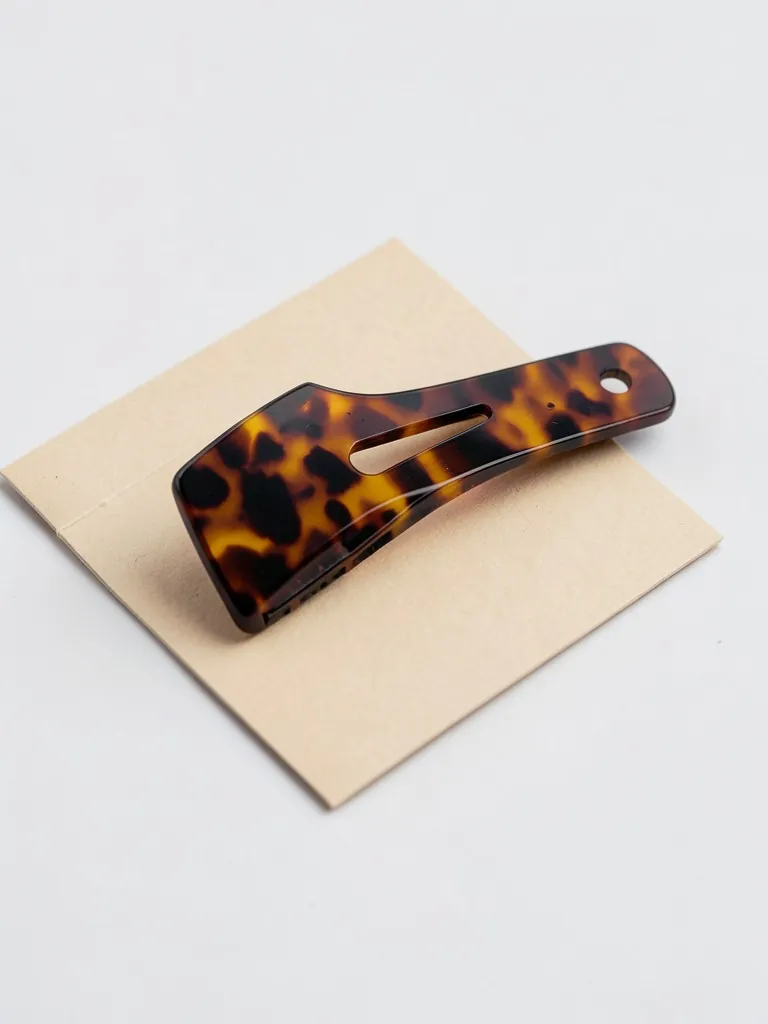
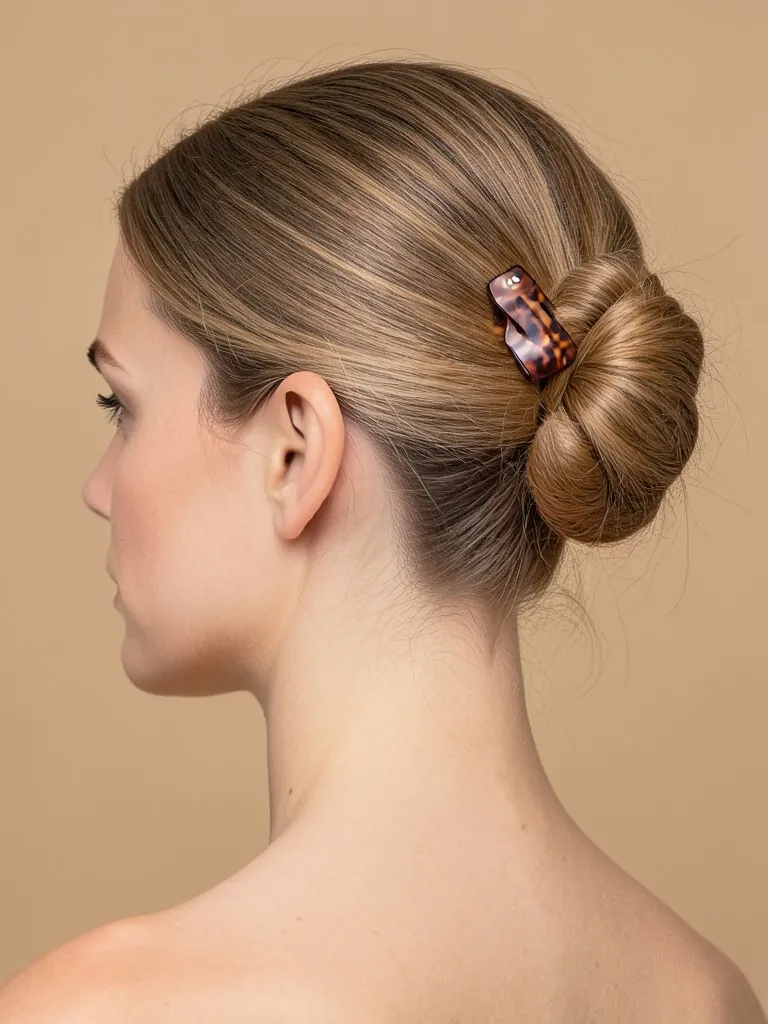
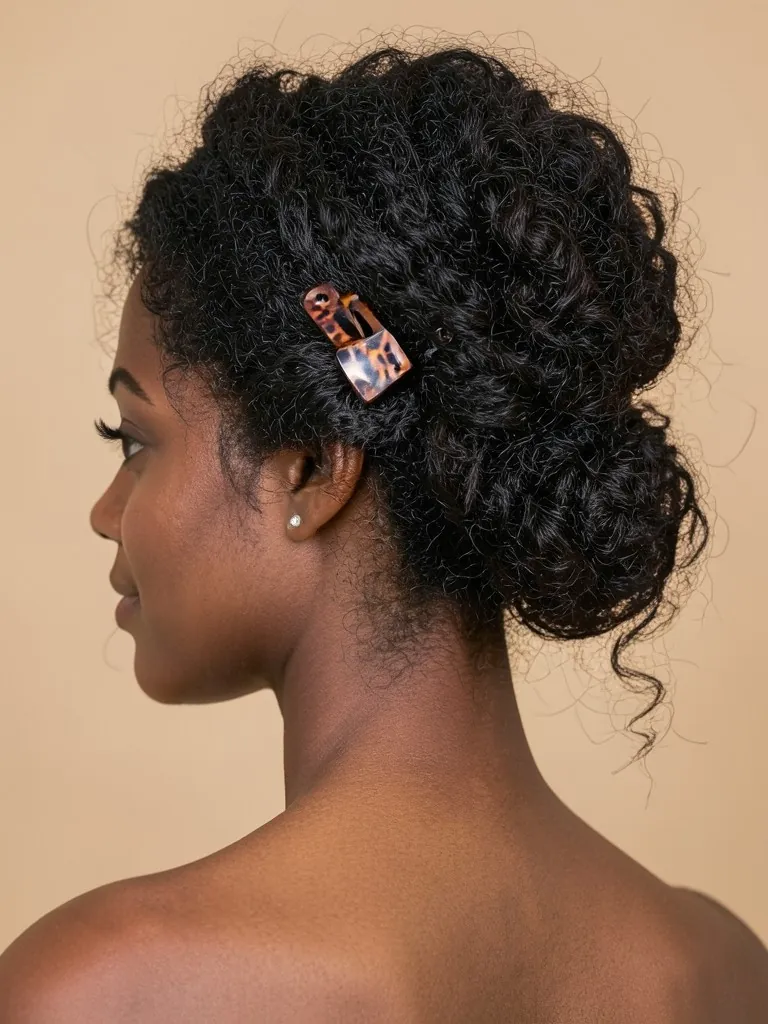
A claw clip on a white table tells a shopper its color and size, but not how it holds a twist or how big it looks against a head of hair. Hair accessories sell on the worn shot. This tool takes the product photo you already have and places the same piece in the hair of an AI model: a claw clip in a twisted updo, a scrunchie on a high ponytail, a headband from the front, a bow at the back of a half-up style. You pick the hair type and color, the hairstyle and the camera angle, so you can show one piece on straight, wavy and curly hair without booking a stylist.
- •First photo free with a free account
- •Claw clips, barrettes, scrunchies, headbands, bows and hair pins
- •Eight hair types and colors, from straight black to natural curls and silver grey
- •Back, side and front views, close-up on the accessory
- •Adult AI models only
Example Results
Features
Placed where it is worn
Claw clips hold a twist, scrunchies wrap a ponytail, headbands sit over the crown, bows sit at the back.
Hair that matches your buyers
Straight, wavy, thick, curly and silver hair, because a clip sits differently in each.
Your piece kept
Color, finish, pearls, stones and pattern are kept from your photo.
Close-up angles
Back, three-quarter, side and front views framed on the accessory, not a full-body shot.
How It Works
Photograph the accessory alone
On a plain surface or held on a card, in focus, with nothing in the hair of a person.
Say what it is
Claw clip, barrette, scrunchie, headband, bow or pin, so the AI places it where it is really worn.
Pick hair, style and view
Choose the hair type and color, an updo, ponytail, bun or hair down, and a back, side or front view.
Generate and check the scale
Compare the size and color with the real piece, then download it.
Use Cases
Etsy and handmade sellers
Hand-sewn scrunchies, resin clips and beaded pins photographed on a table look like craft supplies until they are shown worn.
Key Benefits:
- •Worn shot for every listing
- •Same model across a collection
- •No stylist or model booking
Accessory brands and boutiques
Show each colorway of a claw clip in the same updo, so shoppers compare colors, not photos.
Key Benefits:
- •Consistent product pages
- •Quick variants per color
- •White or lifestyle backgrounds
Social posts and ads
Back-of-head and side shots are the angle shoppers save on Pinterest and Instagram.
Key Benefits:
- •Pinterest-friendly close-ups
- •Pastel and home scenes
- •Fresh images for each drop
Frequently Asked Questions
Claw clips, snap clips, barrettes, scrunchies, hair ties, headbands, bows, decorative pins and combs. Pick the matching type in the form so the AI puts it in the right place.
The accessory on its own, on a plain background, fully in frame and in focus. Do not upload a photo of a person wearing it: the tool creates an AI model instead.
A claw clip that holds thick wavy hair looks different in fine straight hair, and a scrunchie looks bigger on a thin ponytail. Showing your piece on hair like your customers' sets the right expectation.
No. Every model is generated by AI and is an adult. No real person's face or body is used, so you do not need model releases.
The AI is told to keep the real scale, but size is the detail most worth checking. Compare the result with a photo of the piece in your hand before you publish.
Yes, a free account. Upload a garment and press the button, then sign up free to see your first photo. After that, more photos use credits from your free account or a plan; see the pricing page.
AI fashion models by type
Pick the model that fits your customer: men, women, plus size, petite, over 50, Asian, and models for saree, abaya or evening wear.
- AI Male Model
- AI Men's Fashion Photography
- AI Female Model Generator
- AI Asian Model
- AI Asian Male Model
- Plus Size AI Model
- AI Petite Model
- AI Models Over 50
- AI T-Shirt Model
- AI Evening Gown Model
- AI Saree Model
- AI Kurti Model
- AI Lehenga Model
- AI Abaya Model
- AI Hijab Model