Size Chart Generator
Pick a garment template, type your own measurements, and get a clean size chart for your store or listing. Switch between inches and centimeters, add US, UK, EU or AU size labels, and add a how to measure drawing. Download a PNG, a CSV or an HTML table. Free, no sign-up, and nothing leaves your browser.
Updated November 2026
Make a size chart for your clothing
Choose a template, then change any size, column or number. Each template opens with numbers from a published chart, so you can see the format. Replace them with measurements from your own pieces before you publish.
Starting values: measure your own garments. The numbers come from a published blank-garment spec sheet (see Sources) and will not match your pieces exactly.
| Size | Ain | Bin | Cin | Remove size |
|---|---|---|---|---|
How to measure (garment laid flat)
- A. Chest width: Across the chest, 1 in (2.5 cm) below the armhole, laid flat.
- B. Body length: From the high point of the shoulder, next to the collar, down to the hem.
- C. Fits body chest: Around the fullest part of the chest, arms down, tape level.
Show the HTML code
How to make a size chart in 5 steps
- Pick the template closest to your product: t-shirt, hoodie, jacket, dress, skirt, or men’s or women’s jeans.
- Decide if your chart shows garment measurements (the piece laid flat) or body measurements (the shopper’s chest, waist and hip). Say which one in the note under the chart.
- Measure one piece in every size you sell and type the numbers in. Add or remove sizes and columns to match your size run.
- Choose inches, centimeters or both. Type in one unit and the tool converts the other, rounded to the nearest 1/4 inch or 0.5 cm.
- Download a PNG for marketplace photos, a CSV for Excel or Google Sheets, or copy the HTML table for your own store.
Garment measurements vs body measurements
A garment measurement is taken on the clothing itself, usually laid flat. A t-shirt with a 20 inch chest width measures 20 inches straight across the front, one layer, so the full way around is about 40 inches.
A body measurement is taken on the person: around the chest, waist or hips with a tape. Shoppers can compare it with their own tape measure without owning the item. Many charts show both, for example a flat chest width column and a "fits body chest" column, which is how the t-shirt, hoodie and jacket templates are set up.
Mixing the two without saying so is the most common reason a size chart confuses buyers. Write a one-line note under the chart, such as "Garment measured flat" or "Body measurements".
What to measure for each garment
| Garment | Columns most size charts show |
|---|---|
| T-shirt | Chest width (flat), body length from the high point of the shoulder, and often sleeve length or a body chest range |
| Hoodie and sweatshirt | Chest width, body length to the bottom of the waistband, sleeve length from the center back of the neck |
| Jacket | Chest width zipped, body length at the back, sleeve length from the center back of the neck |
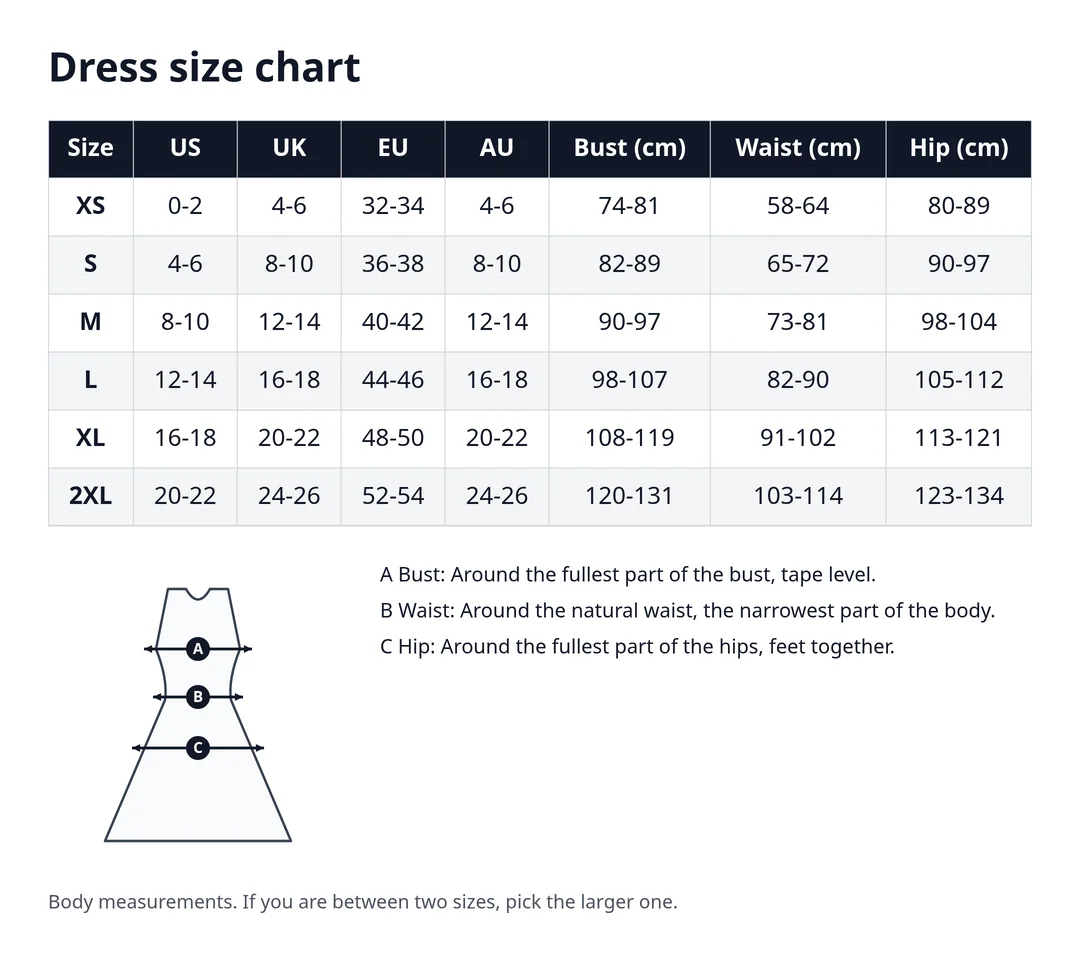
| Dress | Bust, waist and hip (body), plus total length if the style comes in more than one length |
| Skirt | Waist and hip (body), plus skirt length |
| Jeans and trousers | Waist size (W), waist, seat or hip, and inseam (L) if you sell more than one leg length |
The high point of the shoulder (HPS) is where the shoulder seam meets the collar. Most body lengths on tops start there.
How to measure a garment for your size chart
- Lay the piece flat on a table, buttoned or zipped, and smooth it without stretching.
- Chest width: measure straight across, 1 inch (2.5 cm) below the armholes, from side seam to side seam.
- Body length: from the high point of the shoulder straight down to the hem.
- Sleeve length: from the center back of the neck, over the shoulder, down to the cuff. Some brands measure from the shoulder seam instead; say which one you use.
- Waist on trousers: measure across the top of the waistband, laid flat, then double it for the full waist.
- Measure the same way for every size, and measure more than one piece if you can. Blanks vary a little from piece to piece.
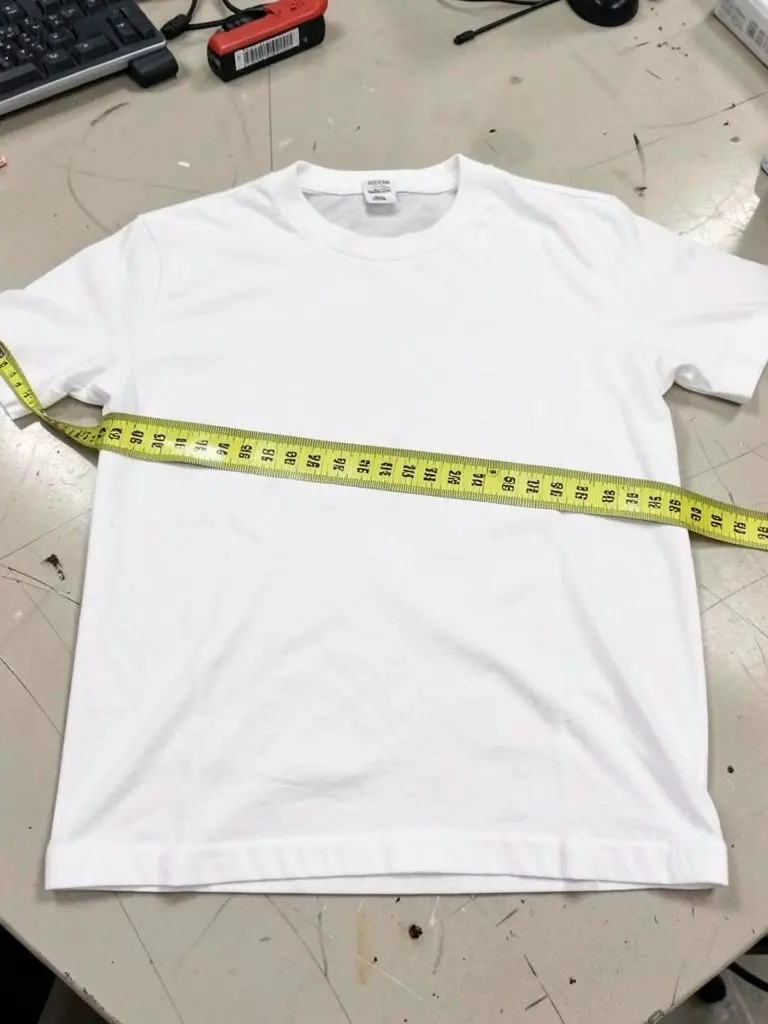
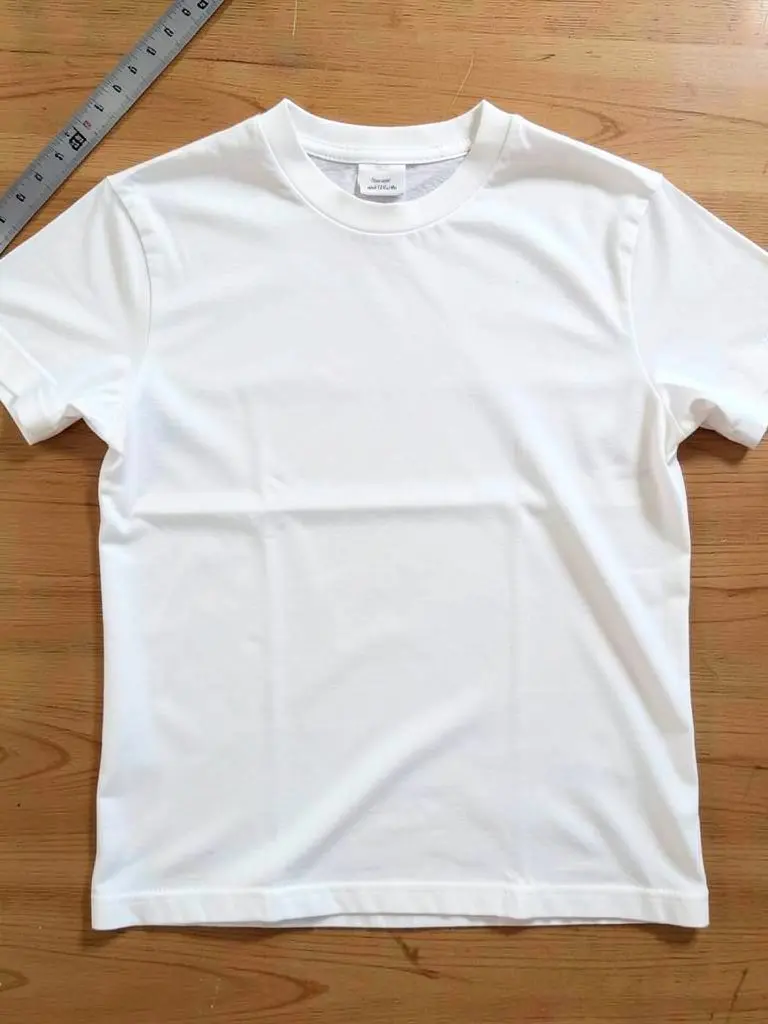
Size chart example: unisex t-shirt
This is the t-shirt template the tool opens with. The numbers are the published product measurements for the BELLA+CANVAS 3001, a common blank for printed tees, in inches.
| Size | Chest width (flat) | Body length | Fits body chest |
|---|---|---|---|
| XS | 16 1/2 | 27 | 31-34 |
| S | 18 | 28 | 34-37 |
| M | 20 | 29 | 38-41 |
| L | 22 | 30 | 42-45 |
| XL | 24 | 31 | 46-49 |
| 2XL | 26 | 32 | 50-53 |
| 3XL | 28 | 33 | 54-57 |
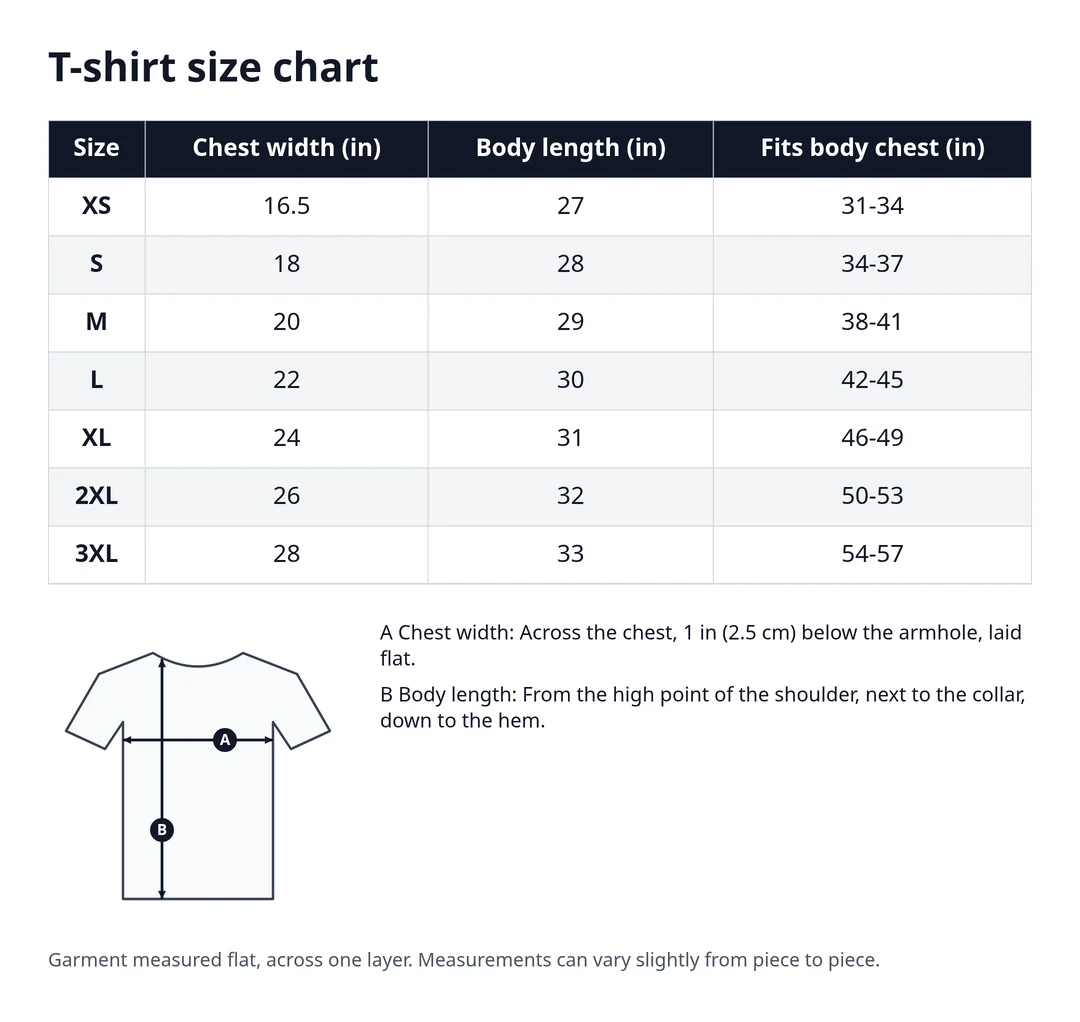
If you print on a different blank, or cut and sew your own, use your own numbers. A size chart copied from another product is one of the easiest ways to get returns.
Size chart as an image or as an HTML table
An HTML table is text. It scales to a phone screen, screen readers can read it, and search engines can read the numbers. Use it in your own store, for example in the code or HTML view of a Shopify product description.
An image works where you can only add photos, such as a listing photo on Etsy, Depop, Vinted or eBay. Add it as one of the last photos so buyers find it after the product shots. The PNG from this tool is 2160 pixels wide, so the numbers stay sharp when buyers zoom in.
Size chart mistakes to avoid
- Not saying whether numbers are garment or body measurements.
- Mixing inches and centimeters in one column.
- Copying a chart from a different blank or brand instead of measuring your own piece.
- Leaving out a size you sell, or listing one you do not stock.
- No "how to measure" note, so buyers measure a different spot.
- Updating the product but not the chart after you change supplier.
FAQ
Is this size chart generator free?
Yes. There is no sign-up and no watermark. The chart is built in your browser and nothing is uploaded. A small credit line is off by default; you can switch it on if you want.
Should my size chart show garment or body measurements?
Either works if you say which one. Garment measurements (laid flat) suit tees, hoodies and jackets, where buyers can compare with a piece they own. Body measurements suit dresses, skirts and jeans, where fit depends on bust, waist and hip. Many sellers show both.
Should I use inches or centimeters?
Use the unit your buyers use. Shoppers in the US mostly read inches, and shoppers in Europe and Australia mostly read centimeters. If you sell in both, choose Both and every number shows in inches and centimeters.
How does the tool convert inches to centimeters?
It multiplies by 2.54 (or divides, for cm to inches) and rounds to the nearest 0.5 cm or 1/4 inch. Each number keeps the unit you typed it in, so switching units back and forth does not change your original values. Ranges like 34-37 and fractions like 16 1/2 convert number by number.
Are the starting numbers right for my clothes?
Only if you sell that exact blank. The tops use published spec sheets for the BELLA+CANVAS 3001, Gildan 18500 and Port Authority J417, the dress and skirt templates use a published women’s size chart, and the jeans templates use a Levi’s size table. Measure your own pieces and replace them.
Can I make a shoe size chart?
There is no shoe template yet. You can start from any template, rename the columns (for example US, UK, EU and foot length) and type your own sizes and numbers.
Where do I put the HTML table on Shopify?
Open the product, switch the description editor to its code or HTML view, and paste the table where you want it. If you want the same chart on many products, ask your theme or a size chart app to show it, so you only update it once.
Is my size chart saved?
No. Nothing is stored. Download the PNG or CSV, or copy the HTML, before you close the page.
More free tools for clothing sellers
Sources
- BELLA+CANVAS 3001 spec sheet + measurements (BlankStyle)
- Gildan 18500 spec sheet + measurements (BlankStyle)
- Port Authority J417 spec sheet + measurements (BlankStyle)
- Size.ly: women’s international size conversion chart
- Size.ly: international dress size chart (bust, waist, hip in cm)
- Levi’s size chart
Starting numbers are examples from published charts and change when brands update a product. Measure your own garments before you publish a size chart. The size chart images were made with this tool. The two photos of a shirt being measured are AI-generated examples.